Customize Driving Score Incident Weights and Safety Ranges
Customize Driving Score Incident Weights and Safety Ranges
This article shows you how to customize the Driving Score calculation to match your company's safety priorities. You can adjust the weight of different safety incidents and define the score ranges for safe, moderate, and unsafe driving, ensuring the scores accurately reflect what's most important for your fleet.
- From the main navigation menu, go to Reports and select Driving score.
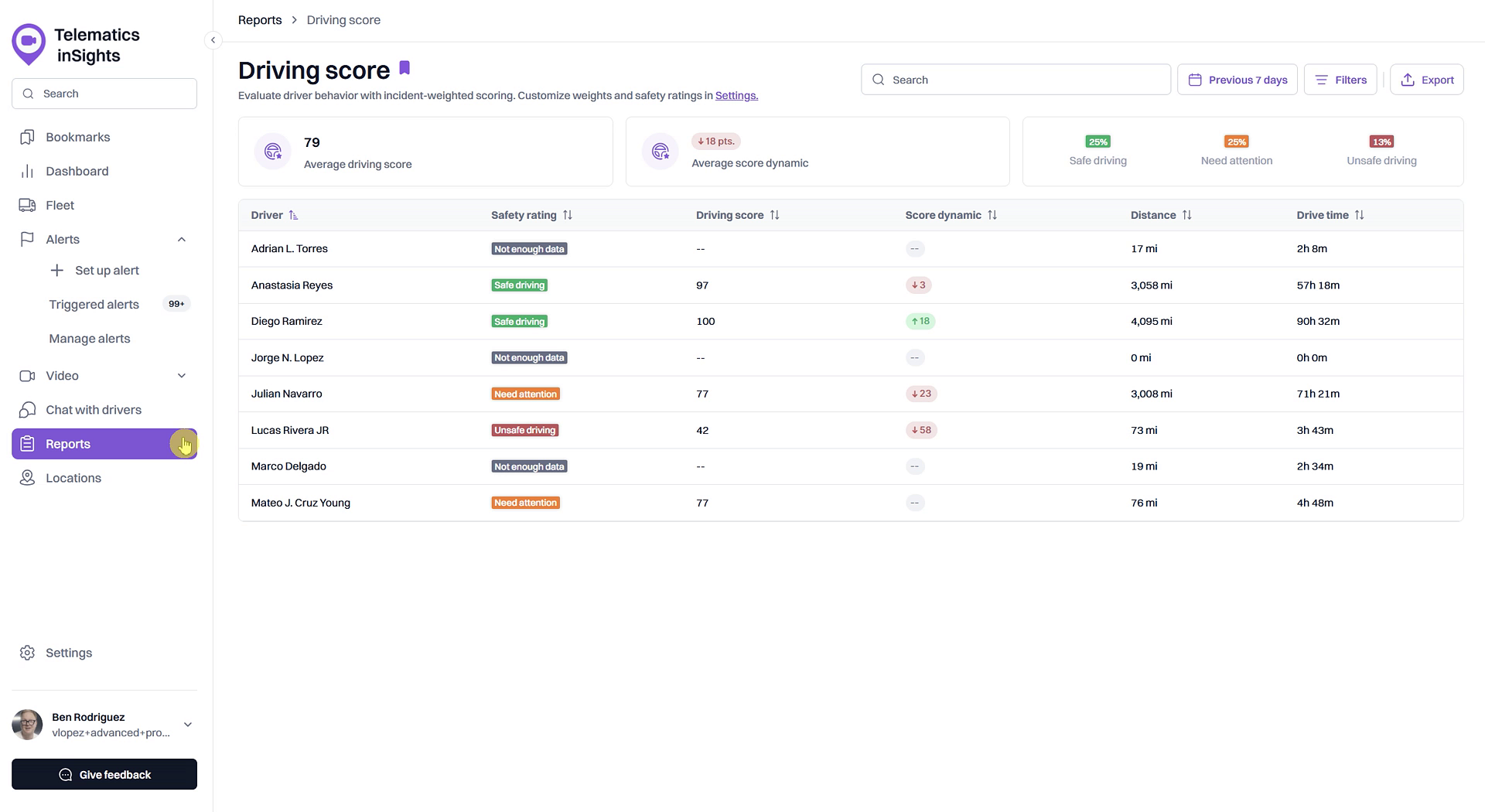
- In the report description at the top of the page, click the Settings link.
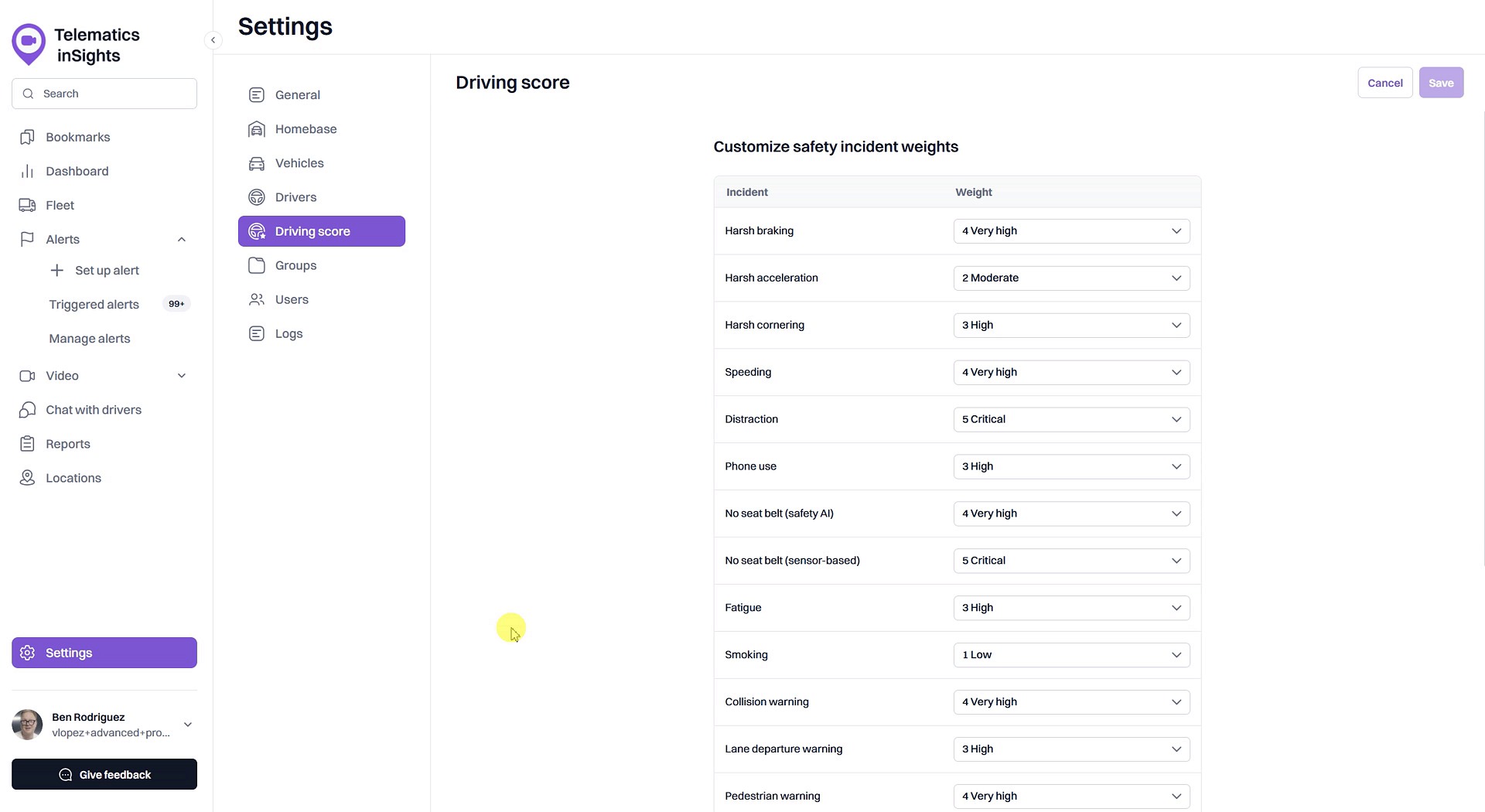
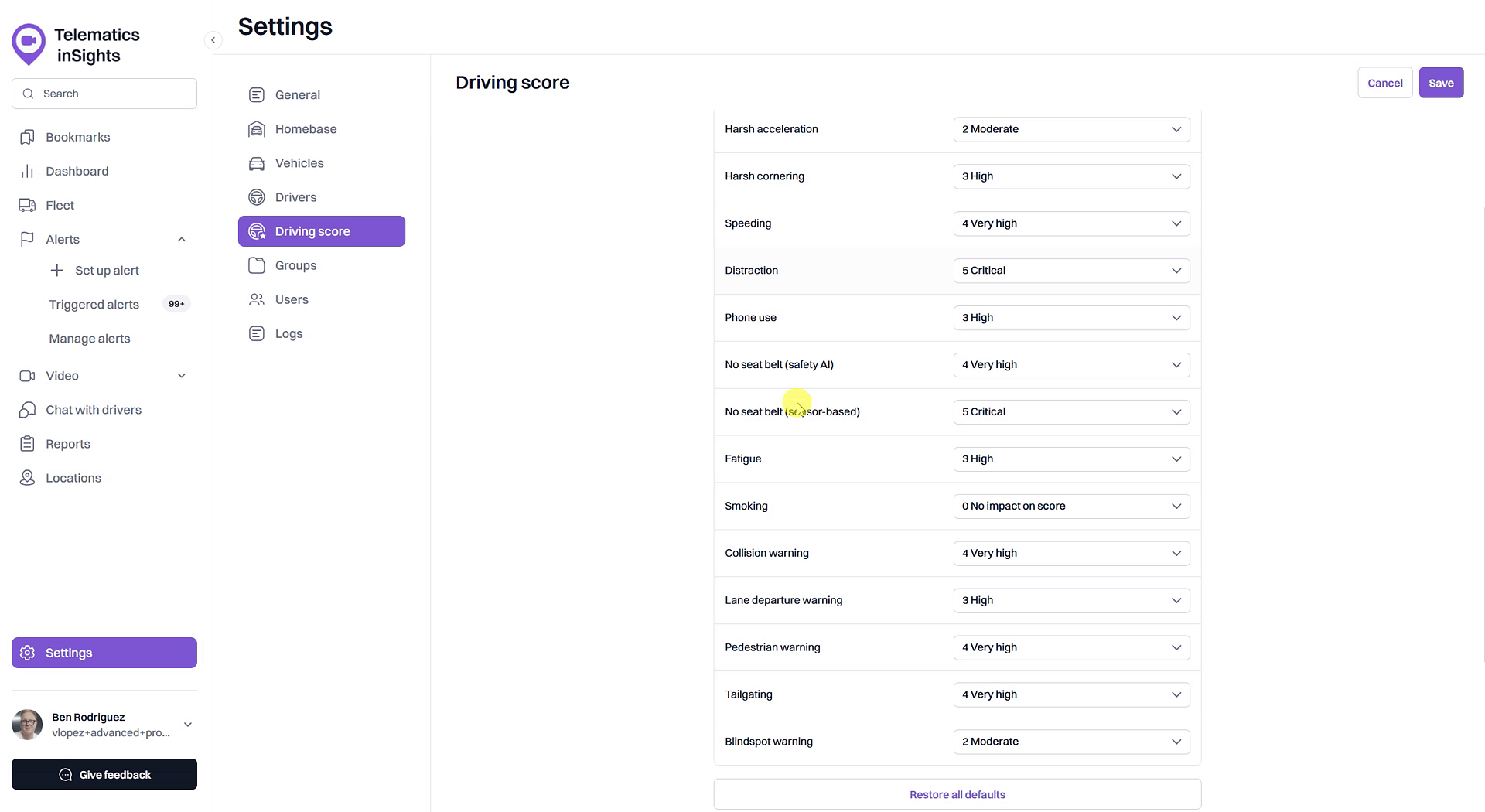
- On the Settings > Driving score page, locate the Customize safety incident weights section.
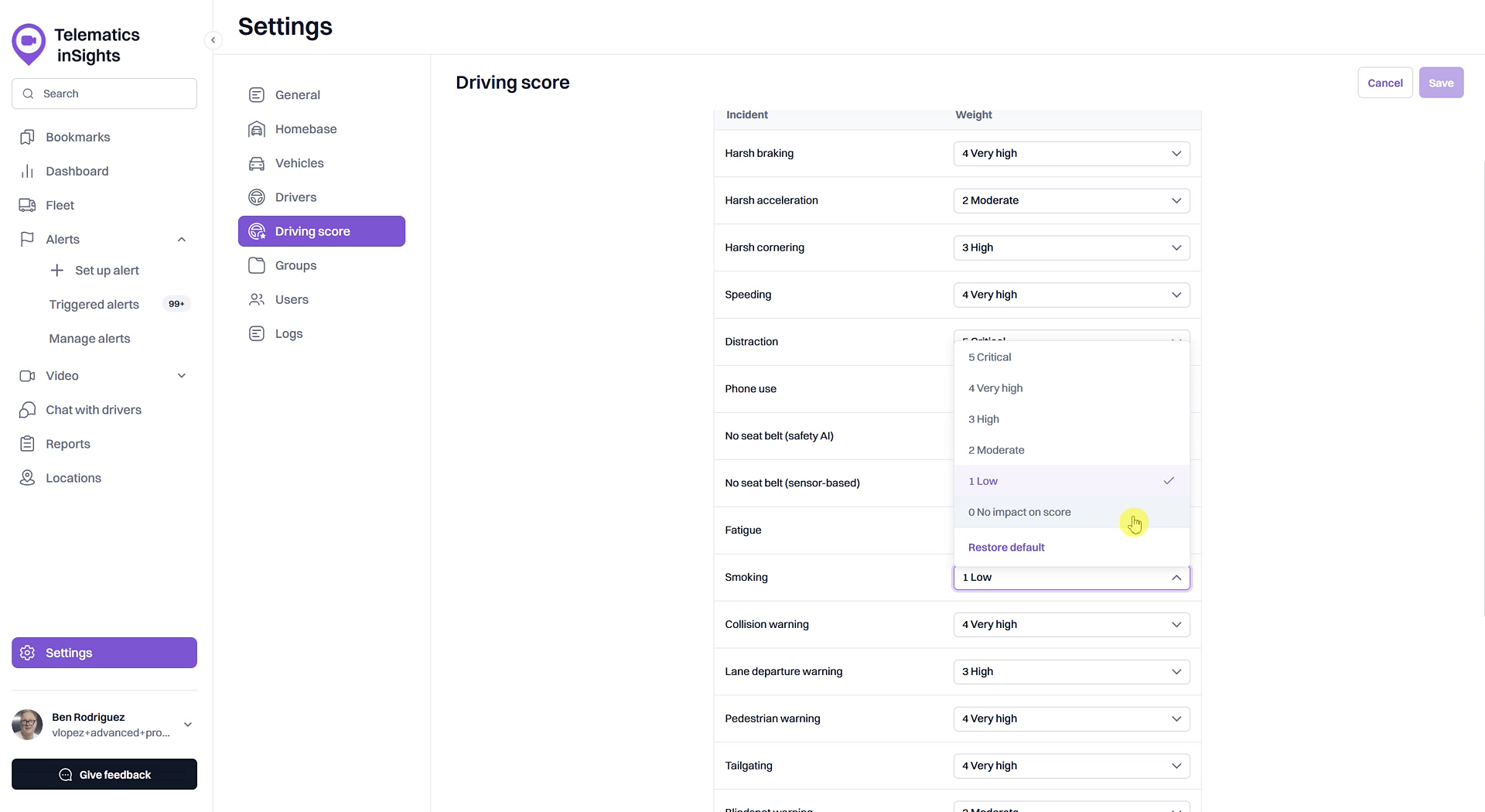
- Find the incident you wish to adjust and click the dropdown menu next to it. Select a new weight, ranging from 0 No impact on score to 5 Critical.
- Next, scroll down to the Customize safety ranges section.
- Click and drag the circular handles on the slider to adjust the score thresholds for Safe driving, Need attention, and Unsafe driving.
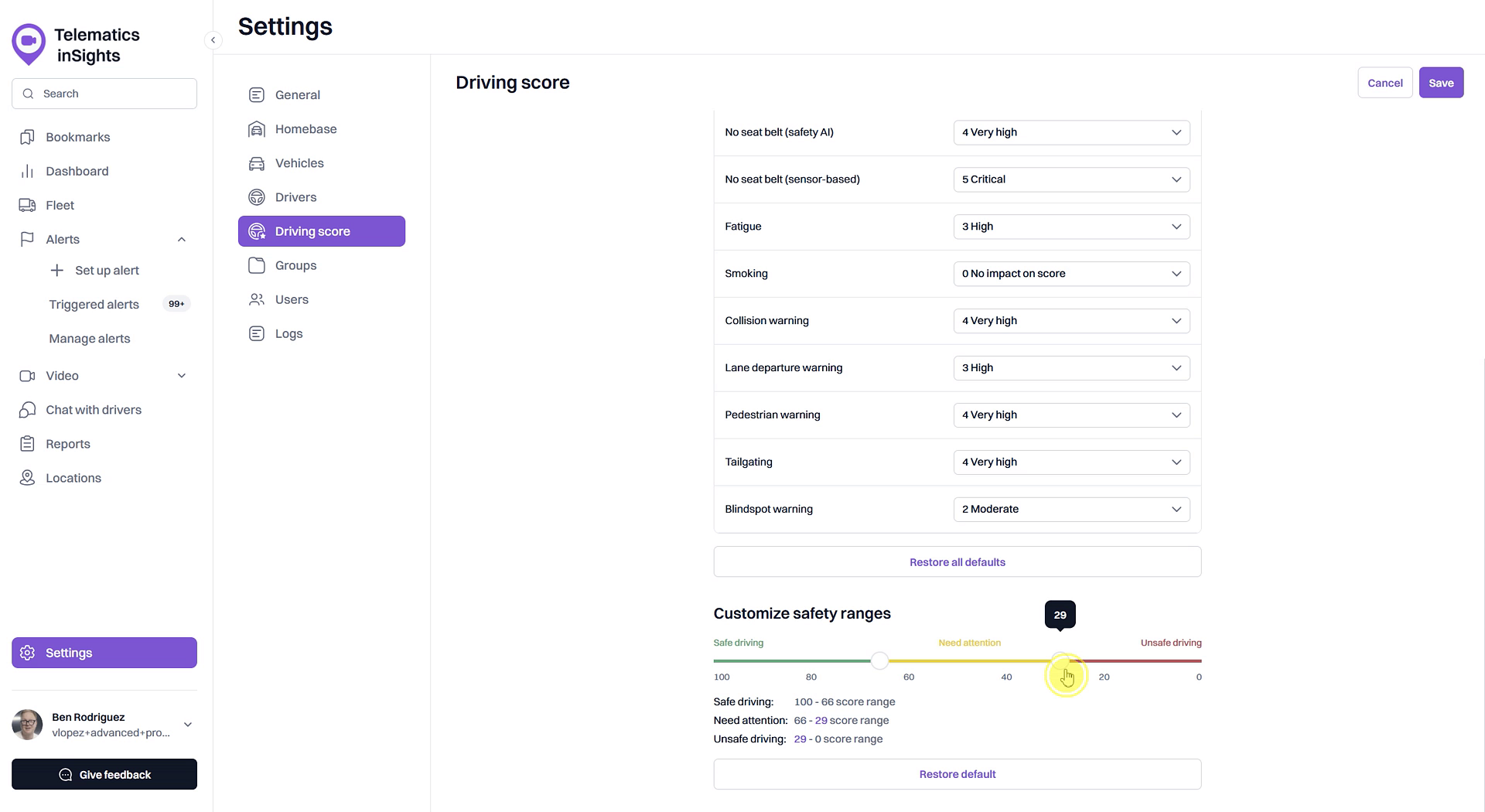
- After making your adjustments, click the Save button in the top-right corner to apply your changes.
Summary
This article explains how to tailor the Driving Score feature to align with your specific safety standards. By customizing incident weights and safety ranges, you can ensure that driver scores accurately reflect the behaviors most critical to your fleet's operations, leading to more effective performance monitoring and coaching.
Related
- What is a Driving Score?
- View the detailed Driving Score report
- Set up alerts to track safety incidents for Driving Score
Related Articles
What is a Driving Score?
What is a Driving Score? The Driving Score is a metric that evaluates driver behavior by assigning a score from 0 to 100. Understanding this score helps you quickly identify safe driving habits and areas for improvement, enabling you to proactively ...How to Set Up Alerts for Driving Score Calculation
How to Set Up Alerts for Driving Score Calculation The Driving Score feature relies on data from safety-related alerts to accurately measure driver performance. To ensure the score is calculated correctly, you must first create alerts for the ...How to Analyze Fleet Driving Performance on the Dashboard
How to Analyze Fleet Driving Performance on the Dashboard The Dashboard provides a powerful, at-a-glance summary of your entire fleet's driving performance. This guide shows you how to use the Driving Score widget to quickly assess overall safety ...View the detailed Driving Score report
View the detailed Driving Score report The Driving Score report provides a comprehensive breakdown of your fleet's driving performance. Accessible from the Dashboard, this report allows you to evaluate driver behavior using weighted incident scores, ...How to Check a Driver's Driving Score
How to Check a Driver's Driving Score This guide explains how to check a driver's Driving Score, a key metric for monitoring on-road safety and performance. Following these steps allows you to quickly assess individual driver behavior directly from ...