How to Check a Driver's Driving Score
How to Check a Driver's Driving Score
This guide explains how to check a driver's Driving Score, a key metric for monitoring on-road safety and performance. Following these steps allows you to quickly assess individual driver behavior directly from the Fleet map or get a high-level overview from the Dashboard.
Check a Score from the Fleet View
This method is the quickest way to see the current score for any specific driver.
- From the main navigation menu, click Fleet.
- At the top of the list panel, click the Drivers toggle to switch from the vehicle list to the driver list.
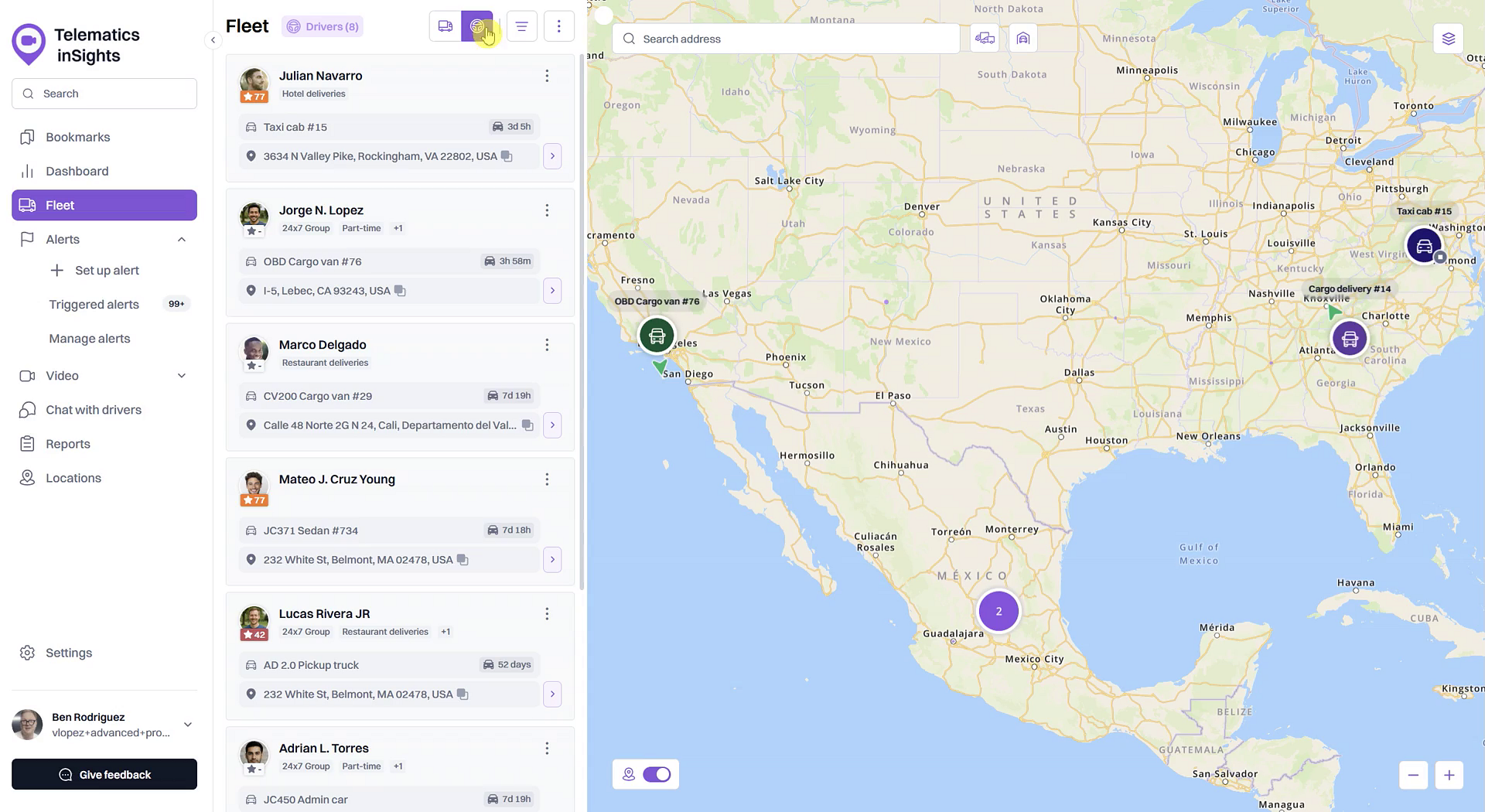
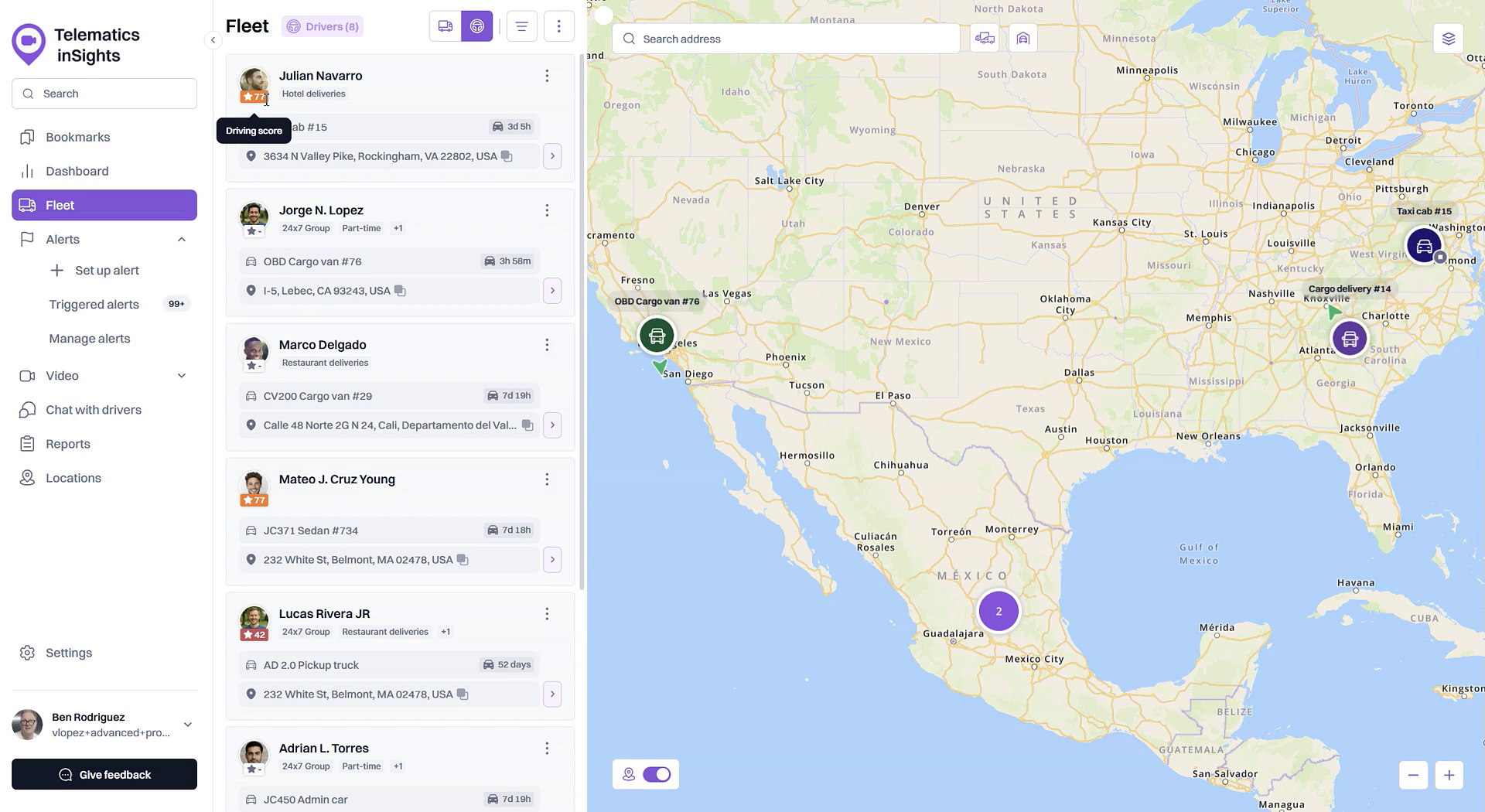
- Locate the driver in the list. Their current Driving Score is displayed in a colored circle next to their name.
Check Scores on the Dashboard
The Dashboard provides a summary of driving performance across your fleet, highlighting your top and bottom-performing drivers.
- From the main navigation menu, click Dashboard.
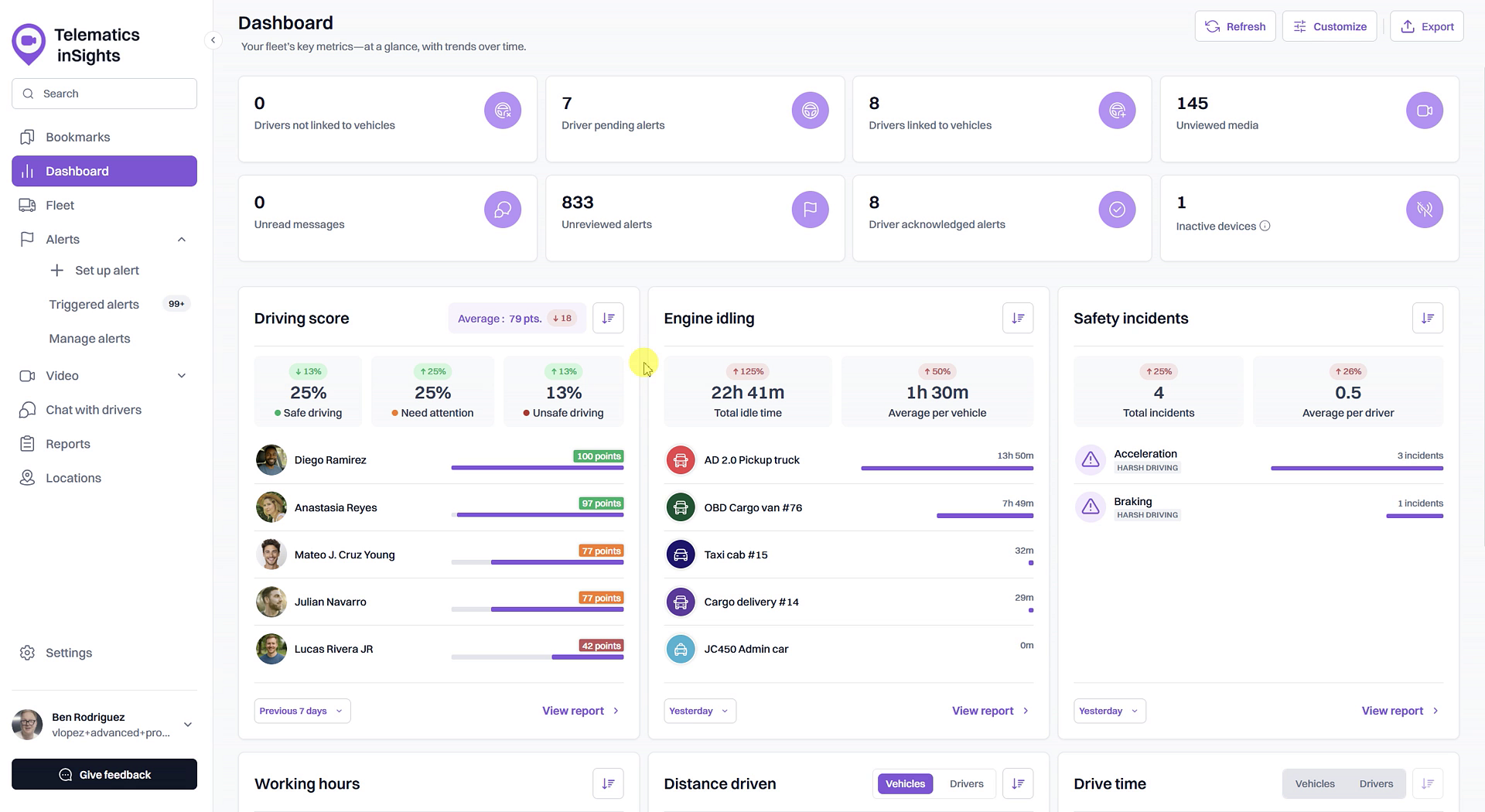
- Find the Driving score widget on the page.
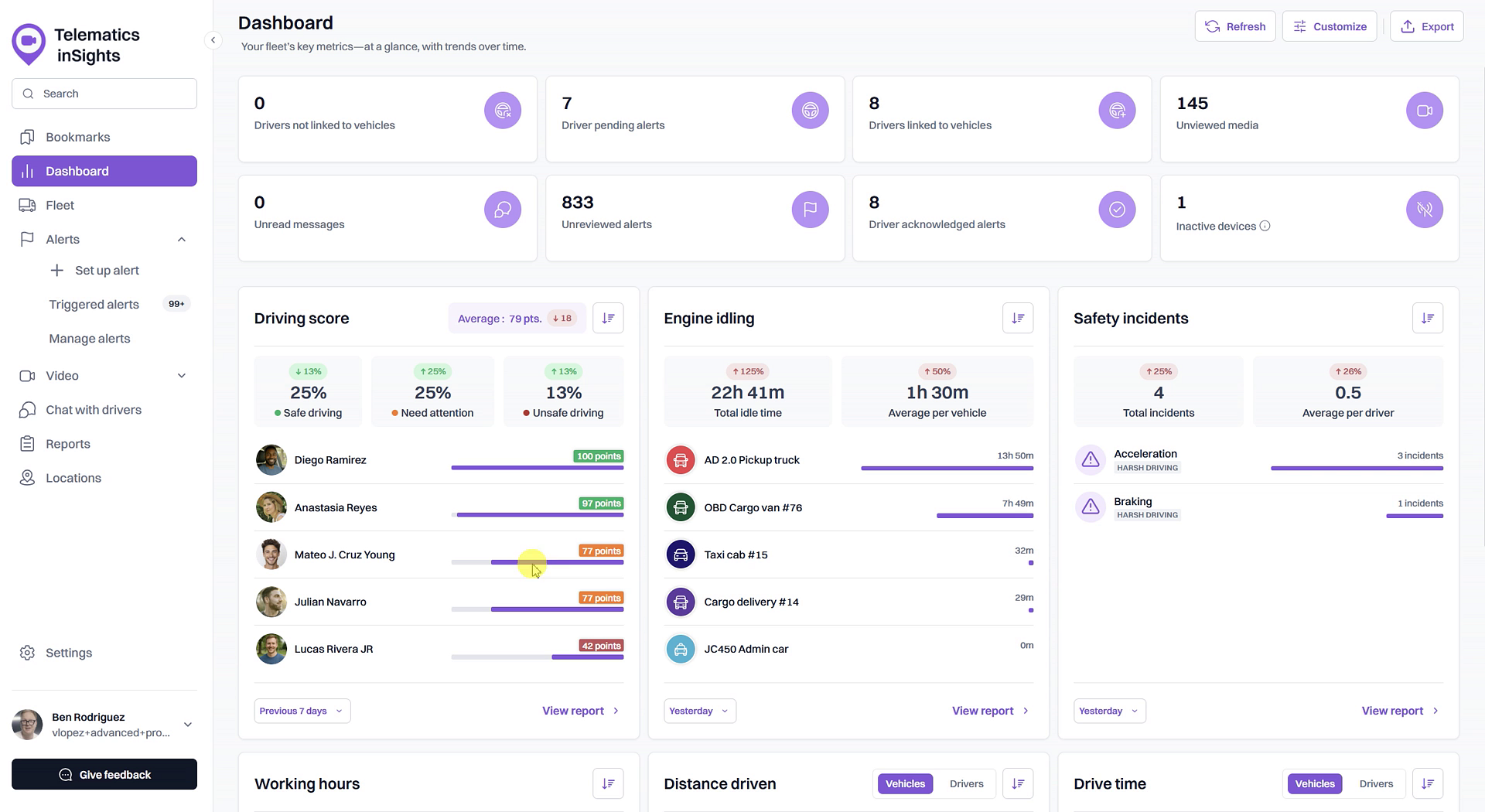
- This widget shows the average score for your entire fleet, a breakdown of drivers by safety rating, and a list of drivers with the highest and lowest scores.
Tips
- The Driving Score is color-coded for quick assessment: green indicates Safe driving, yellow means Need attention, and red signifies Unsafe driving.
- If a driver's score is not displayed, they may not have completed enough driving distance or time for a score to be calculated.
Summary
This article shows you how to check a driver's Driving Score. You can get an immediate, at-a-glance look at any driver's performance in the Fleet view. For a broader overview, the Dashboard widget provides a summary of your top drivers and overall fleet safety trends, helping you maintain high safety standards.
Related
- What is a Driving Score?
- Analyze fleet-wide driving performance on the Dashboard
- Investigate incidents affecting a driver's score
Related Articles
What is a Driving Score?
What is a Driving Score? The Driving Score is a metric that evaluates driver behavior by assigning a score from 0 to 100. Understanding this score helps you quickly identify safe driving habits and areas for improvement, enabling you to proactively ...How to Set Up Alerts for Driving Score Calculation
How to Set Up Alerts for Driving Score Calculation The Driving Score feature relies on data from safety-related alerts to accurately measure driver performance. To ensure the score is calculated correctly, you must first create alerts for the ...View the detailed Driving Score report
View the detailed Driving Score report The Driving Score report provides a comprehensive breakdown of your fleet's driving performance. Accessible from the Dashboard, this report allows you to evaluate driver behavior using weighted incident scores, ...Customize Driving Score Incident Weights and Safety Ranges
Customize Driving Score Incident Weights and Safety Ranges This article shows you how to customize the Driving Score calculation to match your company's safety priorities. You can adjust the weight of different safety incidents and define the score ...How to Investigate Incidents Affecting a Driver's Score
How to Investigate Incidents Affecting a Driver's Score Understanding why a driver has a low score is the first step toward coaching and improving safety. This guide shows you how to investigate the specific safety incidents that contribute to an ...