View the detailed Driving Score report
View the detailed Driving Score report
The Driving Score report provides a comprehensive breakdown of your fleet's driving performance. Accessible from the Dashboard, this report allows you to evaluate driver behavior using weighted incident scores, see fleet-wide averages, and compare individual driver performance over time.
Accessing the Driving Score Report
For a high-level summary of your fleet's performance, you can use the Driving score widget on the Dashboard. To access the full report with more granular data:
- Navigate to the Dashboard from the main menu.
- Locate the Driving score widget.
- Click View report at the bottom of the widget.
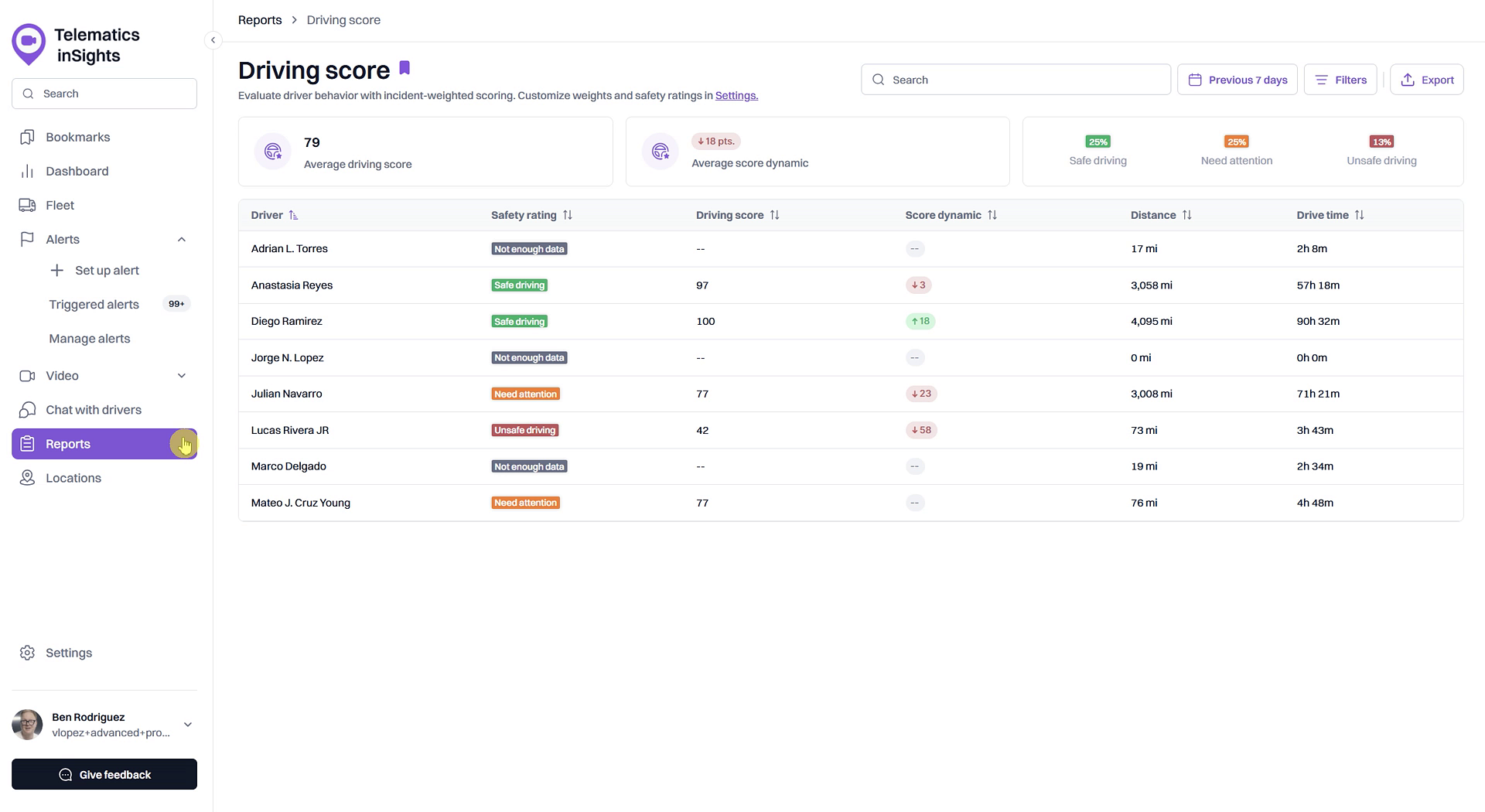
Report Summary Metrics
At the top of the Driving Score report, you will find key metrics that summarize your fleet's overall performance for the selected time period.
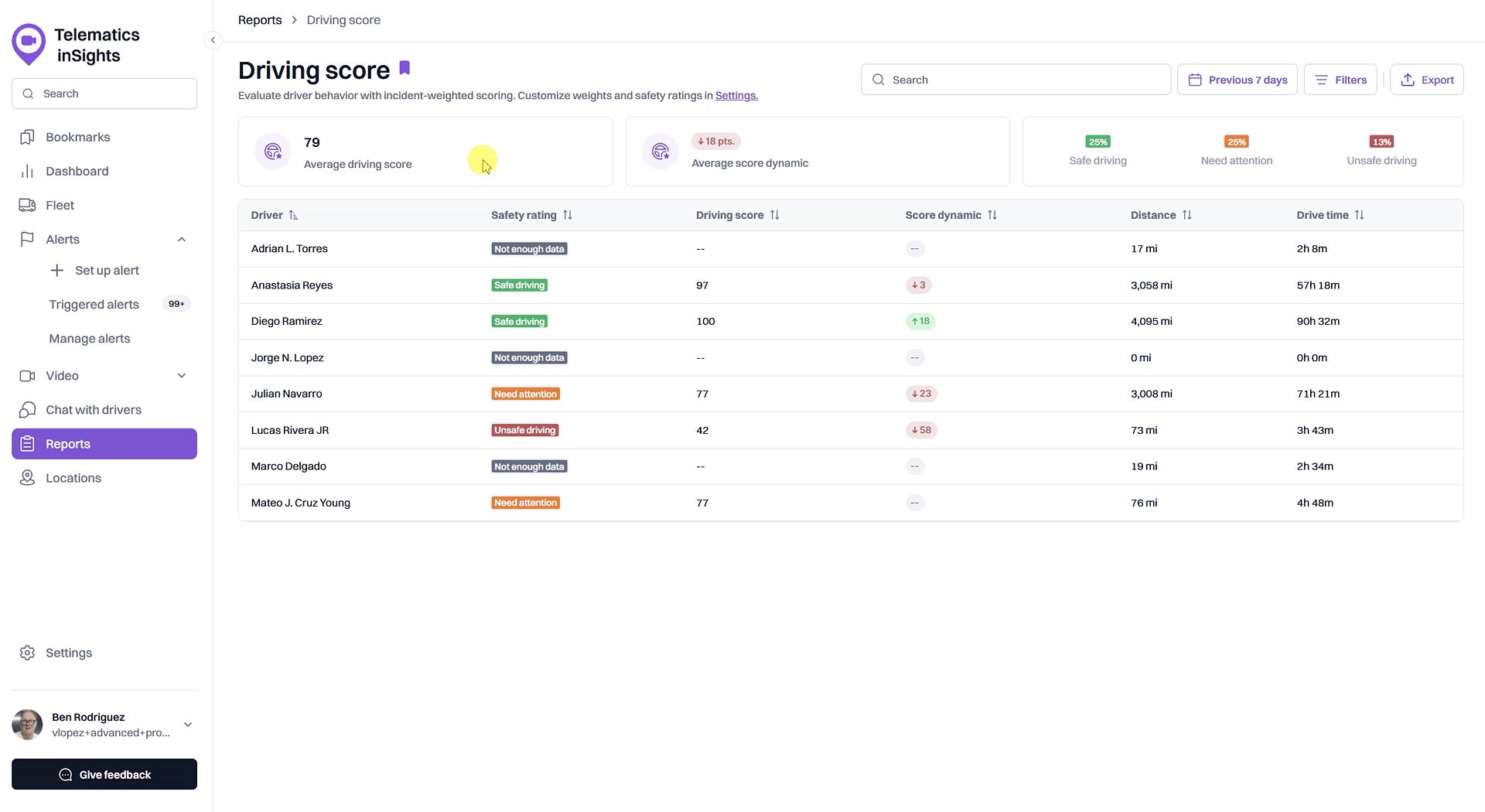
- Average driving score: The average score for all drivers in your fleet.
- Average score dynamic: Shows how the fleet's average score has changed (increased or decreased) compared to the previous period.
- Safety Rating Distribution: A percentage breakdown showing how many of your drivers fall into the Safe driving, Need attention, and Unsafe driving categories.
Driver Score Breakdown
The main section of the report is a table that lists each driver and their individual performance metrics, allowing for easy comparison. The table includes the following columns:
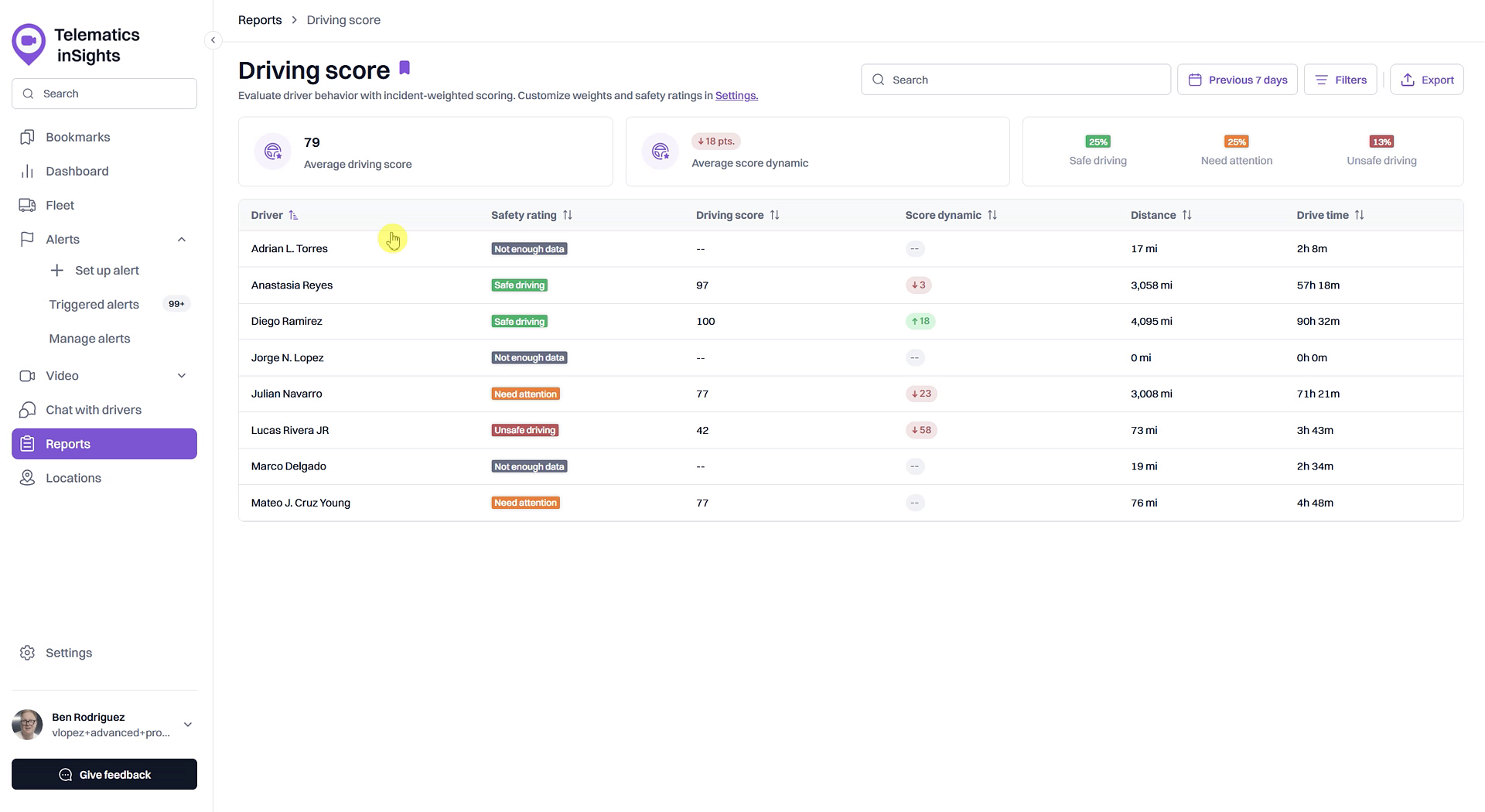
- Driver: The name of the driver.
- Safety rating: The driver's current safety category (e.g., Safe driving, Need attention).
- Driving score: The driver's calculated score out of 100.
- Score dynamic: The change in the individual driver's score compared to the previous period.
- Distance: The total distance the driver has traveled.
- Drive time: The total time the driver has spent driving.
Tips for Using This Section
You can click on any driver's name in the table to drill down into a detailed list of the specific incidents that contributed to their score. This allows for a deeper investigation into individual driving behaviors.
Summary
The Driving Score report is a powerful tool for analyzing driver performance across your entire fleet. It provides key summary metrics, including fleet-wide averages and safety distributions, as well as a detailed breakdown of individual driver scores, distances, and drive times. Use this report to identify trends, compare performance, and begin deeper investigations into the specific safety incidents affecting your drivers' scores.
Related
- What is a Driving Score?
- Analyze fleet-wide driving performance on the Dashboard
- Investigate incidents affecting a driver's score
Related Articles
Customize Driving Score Incident Weights and Safety Ranges
Customize Driving Score Incident Weights and Safety Ranges This article shows you how to customize the Driving Score calculation to match your company's safety priorities. You can adjust the weight of different safety incidents and define the score ...How to Set Up Alerts for Driving Score Calculation
How to Set Up Alerts for Driving Score Calculation The Driving Score feature relies on data from safety-related alerts to accurately measure driver performance. To ensure the score is calculated correctly, you must first create alerts for the ...How to Investigate Incidents Affecting a Driver's Score
How to Investigate Incidents Affecting a Driver's Score Understanding why a driver has a low score is the first step toward coaching and improving safety. This guide shows you how to investigate the specific safety incidents that contribute to an ...How to Analyze Fleet Driving Performance on the Dashboard
How to Analyze Fleet Driving Performance on the Dashboard The Dashboard provides a powerful, at-a-glance summary of your entire fleet's driving performance. This guide shows you how to use the Driving Score widget to quickly assess overall safety ...Report Templates
Report Templates You can generate a report only on the basis of a previously created template. The list of all available templates is displayed in the lower-left part of the window on the Reports tab. Here you can create, edit, copy, and delete ...