How to Access Engine Data and Sensor Readings
How to Access Engine Data and Sensor Readings
This article explains how to view detailed engine data and sensor readings for your vehicles. Following these steps will help you monitor vehicle health and performance. The availability of specific data depends on the vehicle model and the installed tracking device.
- From the Vehicles list, find the vehicle you want to inspect.
- Click the arrow icon on the far right of the vehicle's card to open the detailed view.
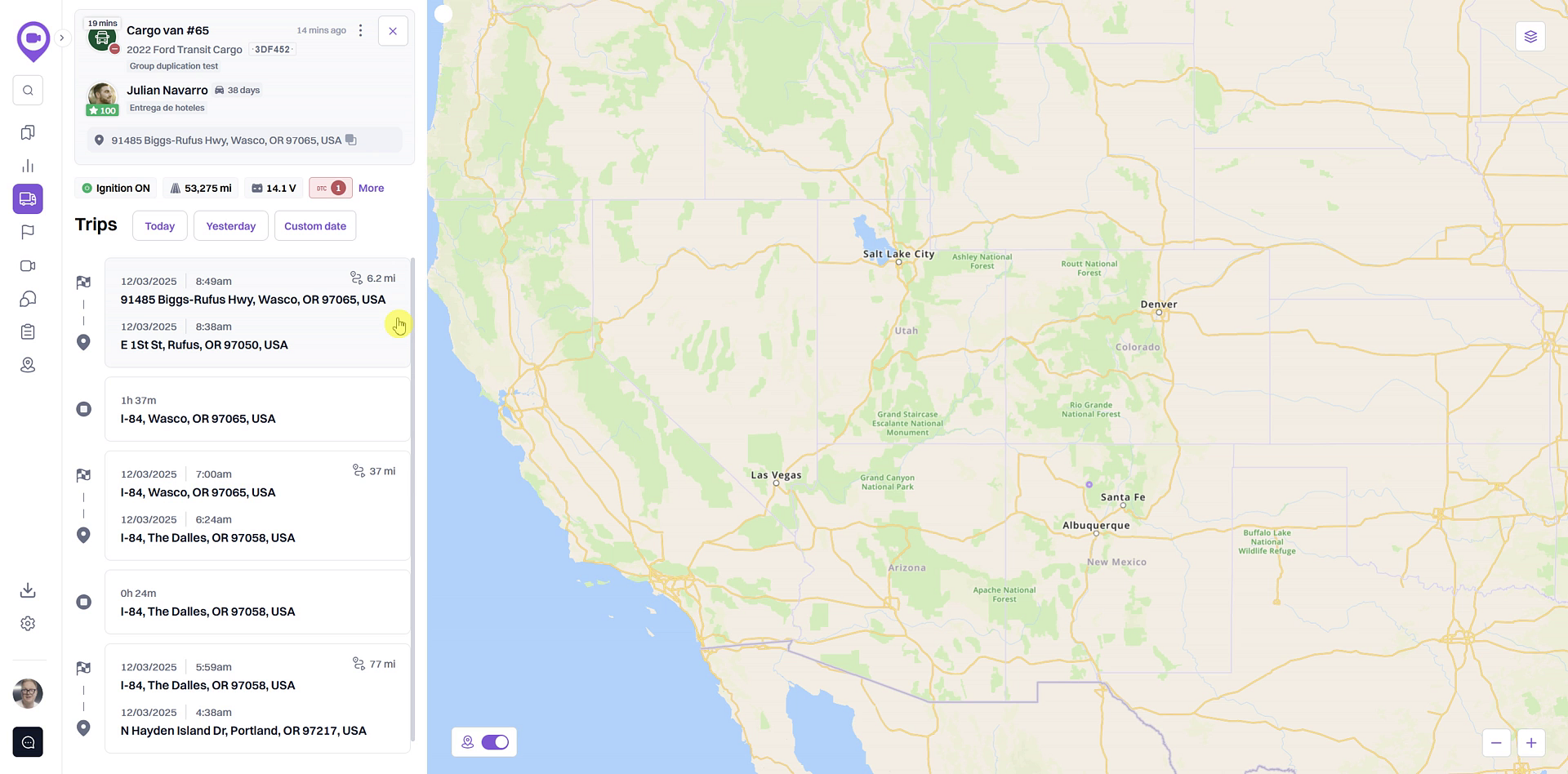
- In the detailed view, you will see key sensor readings such as Ignition, Odometer, and Vehicle battery displayed below the vehicle's current location.
- To see all available data, click the More button.
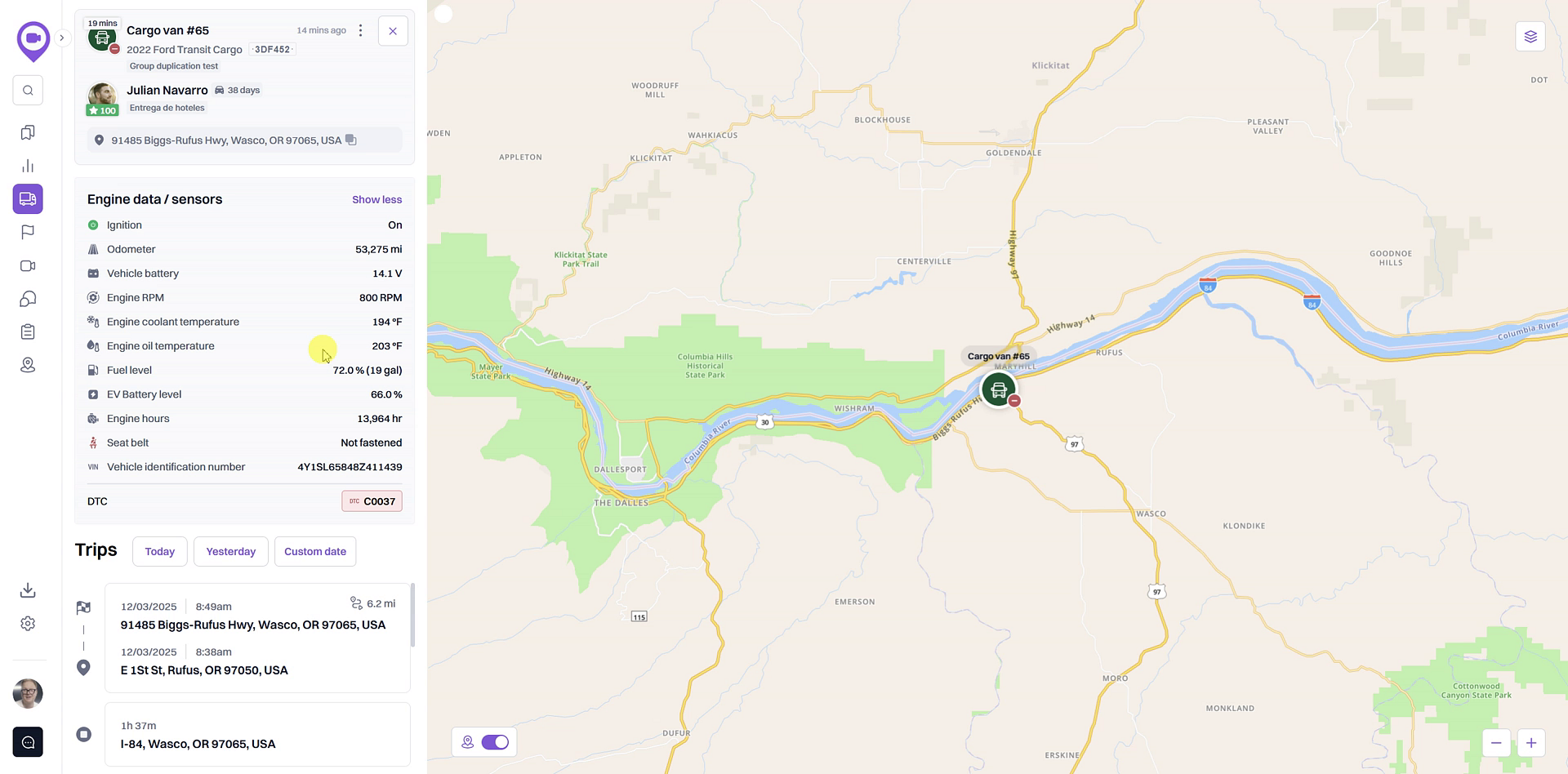
- An expanded list will appear, showing all available engine data and sensor readings, such as fuel level, engine temperature, and engine hours.
Summary
This guide details how to access comprehensive engine diagnostics and sensor information for any vehicle in your fleet. By navigating to the vehicle's detailed view, you can monitor crucial data points like odometer readings, battery voltage, and fuel levels. This feature provides valuable insights for proactive maintenance and helps ensure your vehicles are operating efficiently and safely.
Related
- View detailed vehicle information
- Switch between vehicle and driver views
- View a vehicle's trip history
Related Articles
Odometer/Run Hour Readings
Pulse GPS has the ability to keep track of run hours (engine hours) and odometer readings. The video below shows how to manually set up odometer readings for your asset. 1. Click on the Odo/Run Hour Readings icon on the dashboard or Odo/Hours from ...Unit Access Rights
Access rights to a unit allow the user to see the location of this unit on the map, track its indicators (speed, altitude, sensor values, and so on), send commands and messages to it, use the unit in reports, notifications, jobs, and perform other ...Unit Group Access Rights
Access rights to a unit group allow the user to see this group on different lists, run reports on it, add and remove units from it, delete this group, and so on. Access rights to the group apply to all the units belonging to it. This means that when ...Data Messages
Data Messages Data messages are messages sent to the server from the unit device. As a rule, they contain information about the unit speed and location at the time of sending, the message generation time, and other parameters depending on the device ...Data in Reports
Data in Reports Time The time of completion/start/end of any state is displayed in the reports in the format specified in the General section of a report template. In the tables that include the duration of a state, the hours may not be combined into ...