How to Switch Between Vehicle and Driver Views
How to Switch Between Vehicle and Driver Views
This guide shows you how to switch between the vehicle and driver views on the Fleet map. Toggling between these views allows you to organize the list by either your physical assets or your personnel, making it easier to manage assignments and locate specific drivers.
- From the Fleet map, locate the view toggle icons at the top of the list panel.
- To see the list organized by drivers, click the Driver view icon.
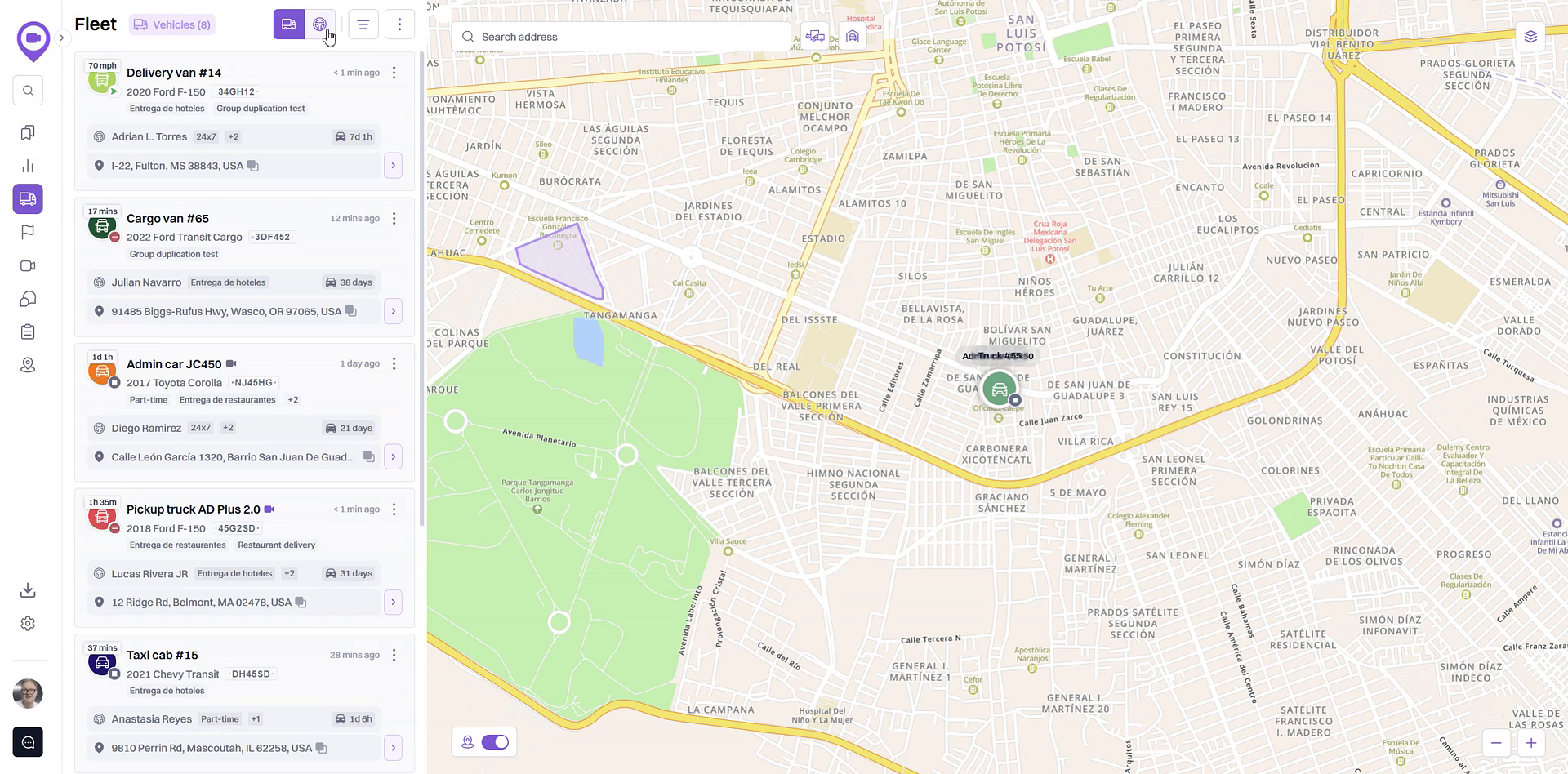
The panel will now display a list of all your drivers, their assigned vehicle (if any), and their current location.
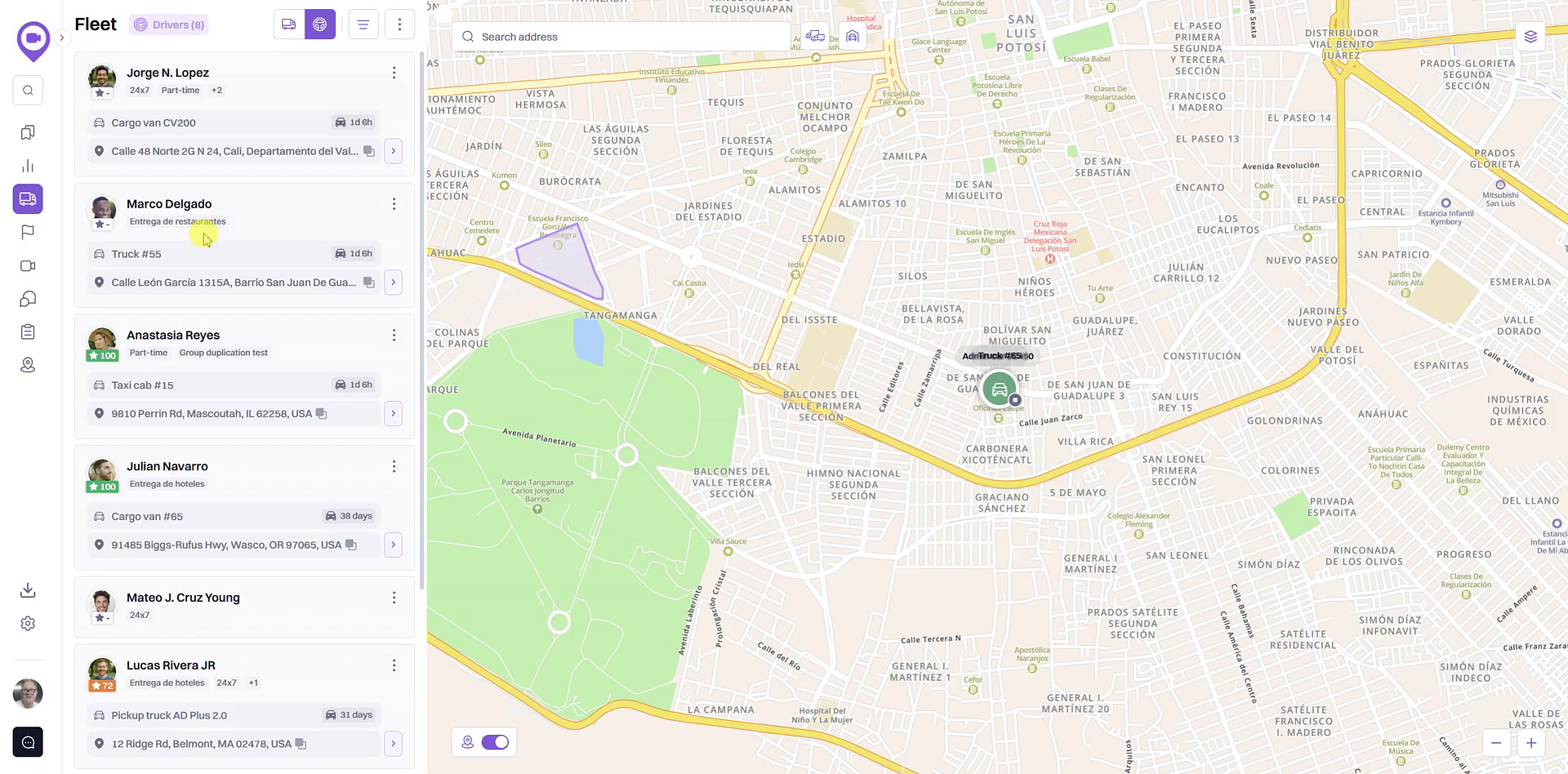
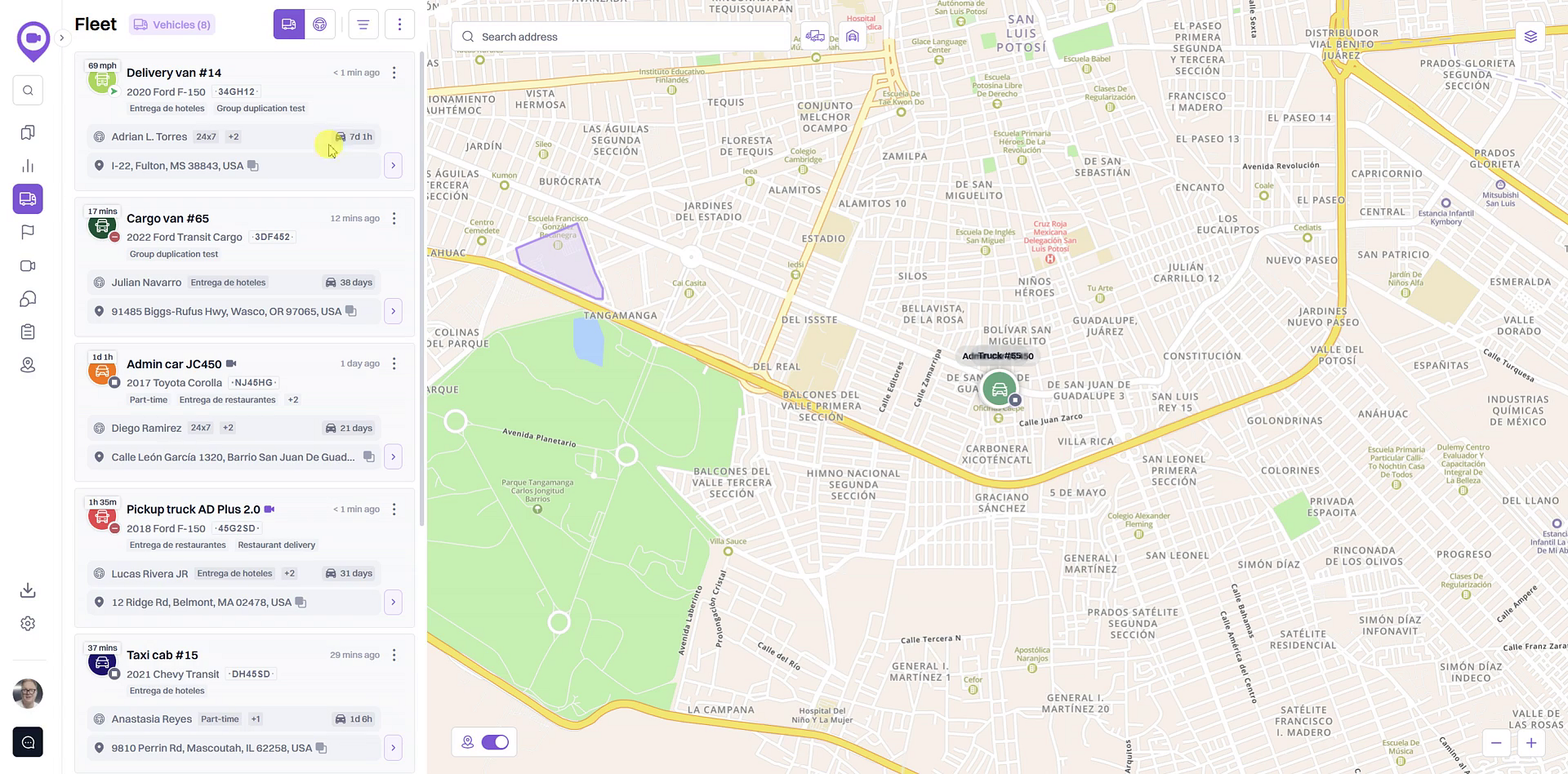
- To switch back to the default vehicle list, click the Vehicle view icon.
Summary
Switching between the vehicle and driver views provides flexibility in how you monitor your fleet. The vehicle view is ideal for tracking asset location and status, while the driver view helps you quickly locate personnel and see their current vehicle assignments. This functionality allows you to organize your fleet information in the way that best suits your immediate operational needs.
Related
- Overview of the Fleet Map and Vehicle List
- View detailed vehicle information
- Search for vehicles by driver assignment
Related Articles
How to View Detailed Vehicle Information
How to View Detailed Vehicle Information This article shows you how to access the detailed information page for any vehicle in your fleet. This view provides a focused look at a vehicle's recent trips, sensor data, and historical routes on the map, ...Overview of the Fleet Map and Vehicle List
Overview of the Fleet Map and Vehicle List The Fleet view is your central dashboard for real-time monitoring of your vehicles. It combines an interactive map with a comprehensive list, allowing you to see the current location and status of your ...Creating a Driver
Creating a Driver In order for the user to be able to create drivers: the Drivers service should be enabled in the properties of the account in the resource of which a driver should be created; the user should have the Create, edit, and delete ...Driver Groups
Driver Groups Driver groups are used to group drivers by certain criteria. To go to the list of groups, use the switch at the top of the workspace. Creating Driver Groups To create a driver group, follow these steps: Switch to the Groups mode. Click ...How to Check a Driver's Driving Score
How to Check a Driver's Driving Score This guide explains how to check a driver's Driving Score, a key metric for monitoring on-road safety and performance. Following these steps allows you to quickly assess individual driver behavior directly from ...