Find a specific vehicle on the map
Find a specific vehicle on the map
This article explains how to quickly locate any vehicle in your fleet on the live map. Following this simple step allows you to immediately see a vehicle's current position without needing to search or pan manually. You will need access to the Fleet map.
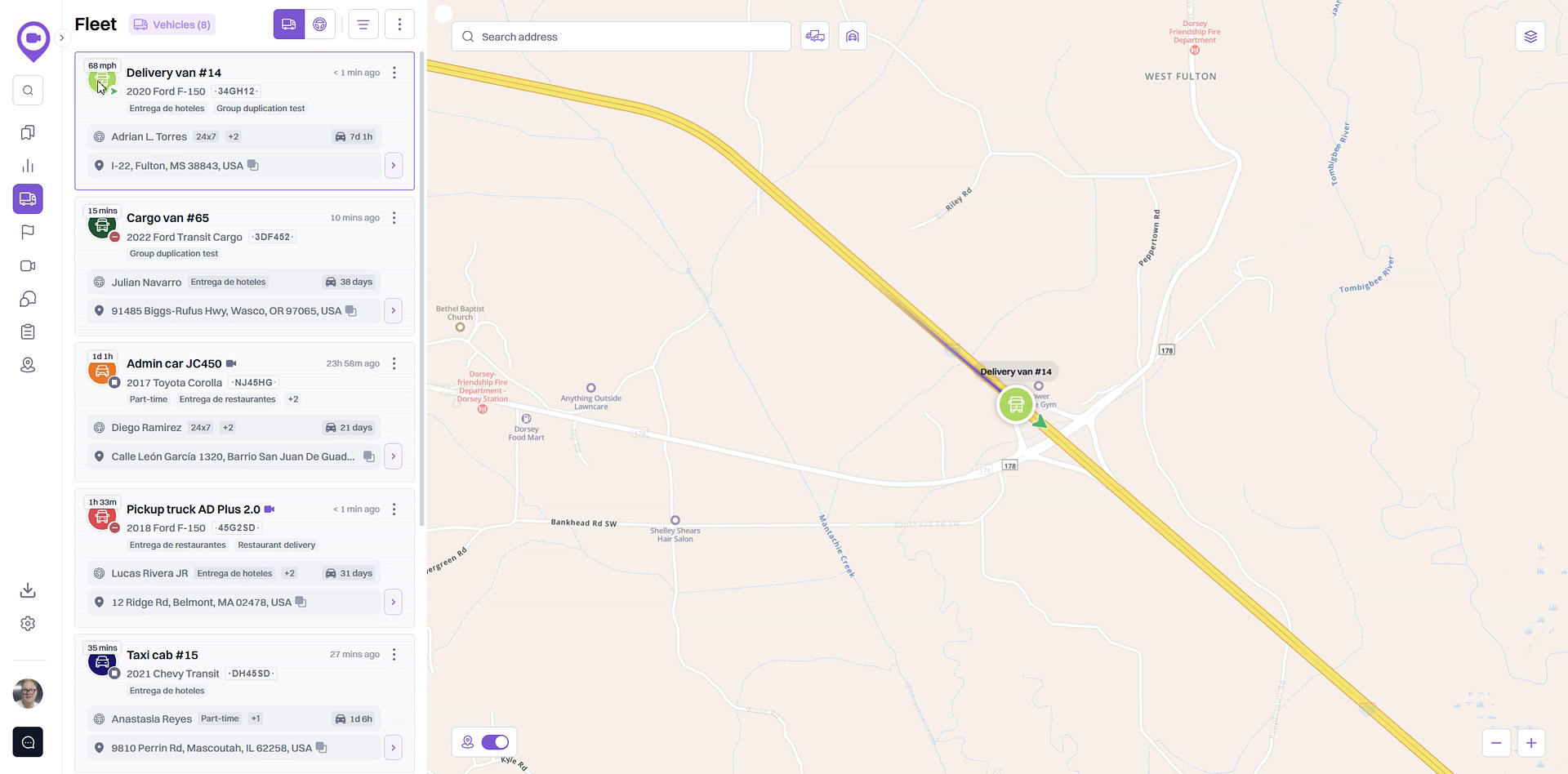
- From the Vehicles tab, find the vehicle you want to locate in the list on the left side of your screen.
- Click on the vehicle's information card. The map will automatically pan and zoom to the vehicle's current location.
Summary
This article outlines the straightforward process for finding a specific vehicle on the fleet map. By simply clicking a vehicle's card in the list, you can instantly center the map on its real-time location, providing a quick and efficient way to monitor individual assets within your fleet.
Related
- Overview of the Fleet Map and Vehicle List
- Check a vehicle's current status (Moving, Idling, Stopped)
- View detailed vehicle information
Related Articles
How to Find a Vehicle's Trip History for a Specific Date Range
How to Find a Vehicle's Trip History for a Specific Date Range This article shows you how to find and display a vehicle's travel history for a custom date range. This feature is useful for reviewing past routes, verifying deliveries, or investigating ...Replay a vehicle's past trips on the map
Replay a vehicle's past trips on the map This article explains how to use the trip replay feature to visualize a vehicle's past movements on the map. Following these steps will allow you to see a vehicle's exact location and travel path for any ...Overview of the Fleet Map and Vehicle List
Overview of the Fleet Map and Vehicle List The Fleet view is your central dashboard for real-time monitoring of your vehicles. It combines an interactive map with a comprehensive list, allowing you to see the current location and status of your ...How to View Detailed Vehicle Information
How to View Detailed Vehicle Information This article shows you how to access the detailed information page for any vehicle in your fleet. This view provides a focused look at a vehicle's recent trips, sensor data, and historical routes on the map, ...How to View a Vehicle's Trip History
How to View a Vehicle's Trip History This guide shows you how to access and review a vehicle's historical trip data. Following these steps will allow you to see where a vehicle has traveled on the map for specific dates, which is useful for verifying ...