How to Mark a Safety Incident as 'Reviewed' or 'False Positive'
How to Mark a Safety Incident as 'Reviewed' or 'False Positive'
This guide shows you how to update the status of a safety incident. Marking incidents as 'Reviewed' helps you track which events have been addressed, while marking them as 'False Positive' removes them from the driver's score calculation, ensuring data accuracy.
- Navigate to the Reports section and open the Driving score report.
- Click on a specific driver from the list to view all incidents that have factored into their driving score.
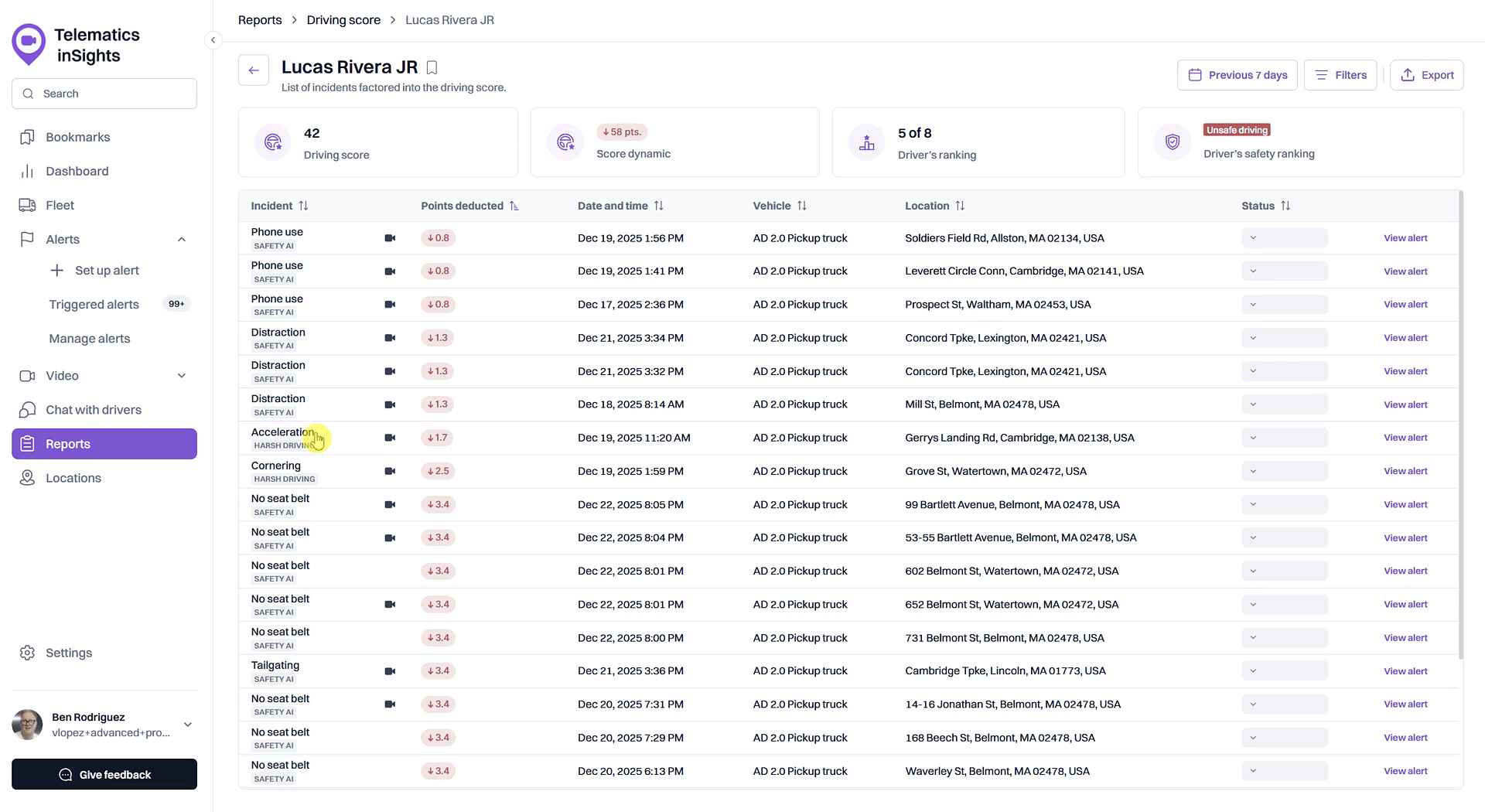
- Locate the incident you wish to update in the list.
- In the Status column for that incident, click the dropdown menu, which defaults to Unreviewed.
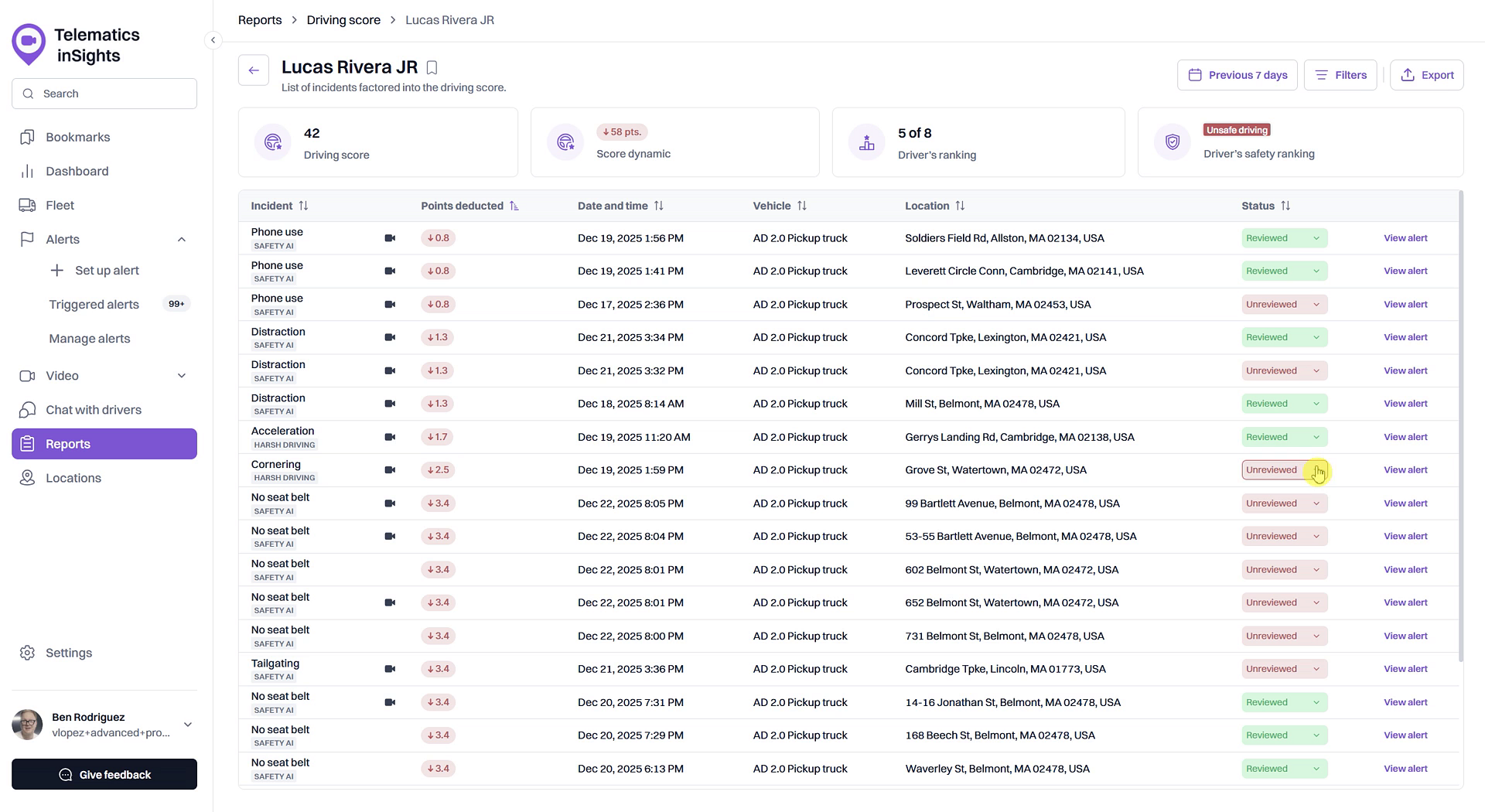
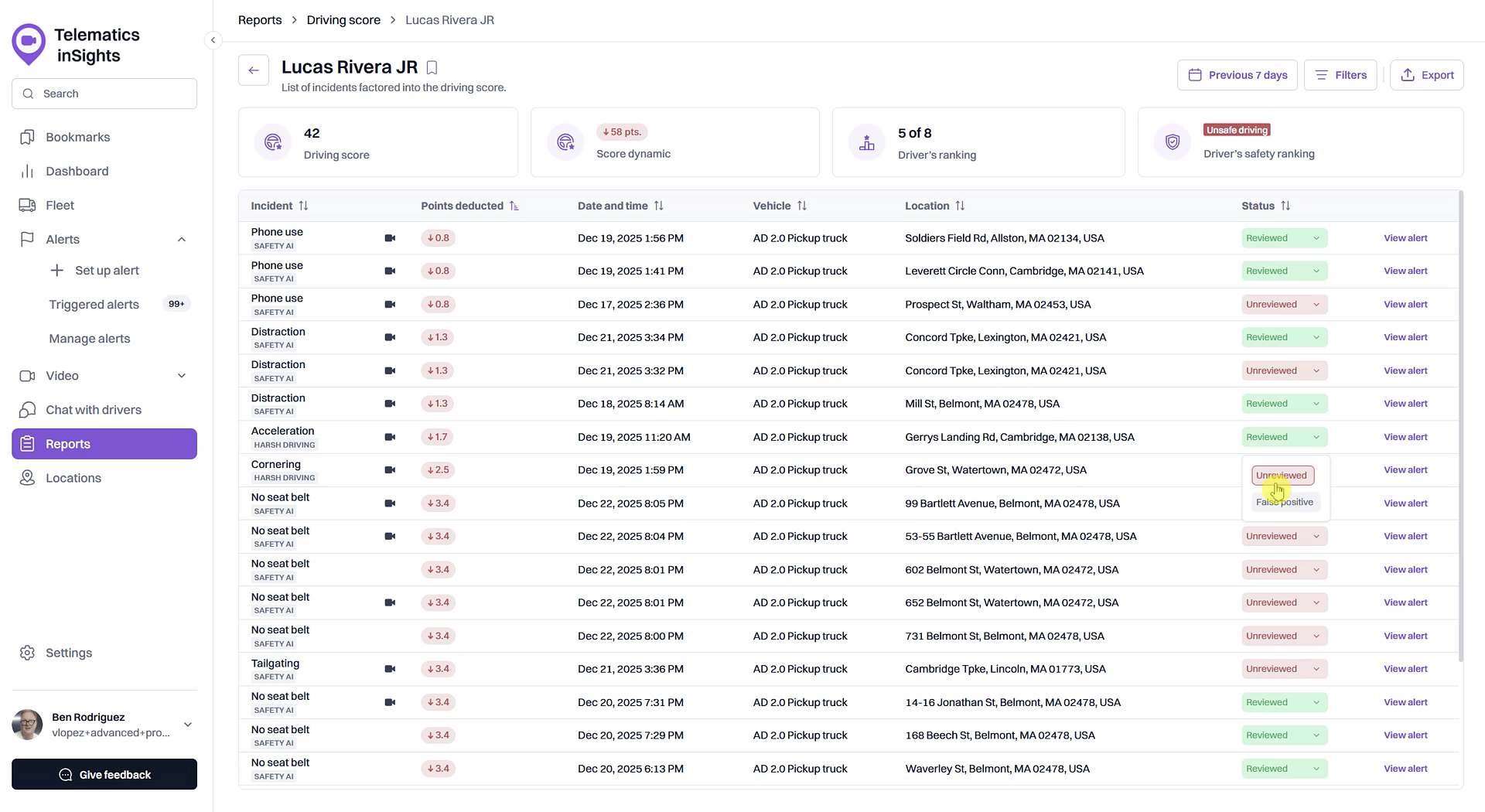
- Select Reviewed to confirm that you have acknowledged the incident.
- Alternatively, select False positive if the alert was triggered in error. This will remove any point deductions associated with the incident from the driver's score.
Tip
Marking an incident as False positive will trigger a recalculation of the driver's score, removing the point deduction from this specific event. This is useful for correcting inaccuracies and ensuring driver scores are fair.
Summary
This article explains the process of updating the status of safety incidents within the Driving Score report. By learning how to mark events as 'Reviewed' or 'False Positive,' you can maintain an organized record of addressed issues and ensure the accuracy of your drivers' performance scores by correcting any invalid alerts.
Related
- View the detailed Driving Score report
- Investigate incidents affecting a driver's score
- Review video footage of a safety incident
Related Articles
How to Review Video Footage of a Safety Incident
How to Review Video Footage of a Safety Incident This article shows you how to review video footage of specific safety incidents that affect a driver's score. Watching the recorded video provides crucial context to help you understand what happened, ...How to Investigate Incidents Affecting a Driver's Score
How to Investigate Incidents Affecting a Driver's Score Understanding why a driver has a low score is the first step toward coaching and improving safety. This guide shows you how to investigate the specific safety incidents that contribute to an ...Customize Driving Score Incident Weights and Safety Ranges
Customize Driving Score Incident Weights and Safety Ranges This article shows you how to customize the Driving Score calculation to match your company's safety priorities. You can adjust the weight of different safety incidents and define the score ...What is a Driving Score?
What is a Driving Score? The Driving Score is a metric that evaluates driver behavior by assigning a score from 0 to 100. Understanding this score helps you quickly identify safe driving habits and areas for improvement, enabling you to proactively ...How to Set Up Alerts for Driving Score Calculation
How to Set Up Alerts for Driving Score Calculation The Driving Score feature relies on data from safety-related alerts to accurately measure driver performance. To ensure the score is calculated correctly, you must first create alerts for the ...