How to Review Video Footage of a Safety Incident
How to Review Video Footage of a Safety Incident
This article shows you how to review video footage of specific safety incidents that affect a driver's score. Watching the recorded video provides crucial context to help you understand what happened, validate the incident, and provide targeted driver coaching.
- Navigate to the Reports section and select the Driving Score report.
- Click on a driver's name from the list to view their detailed incident report.
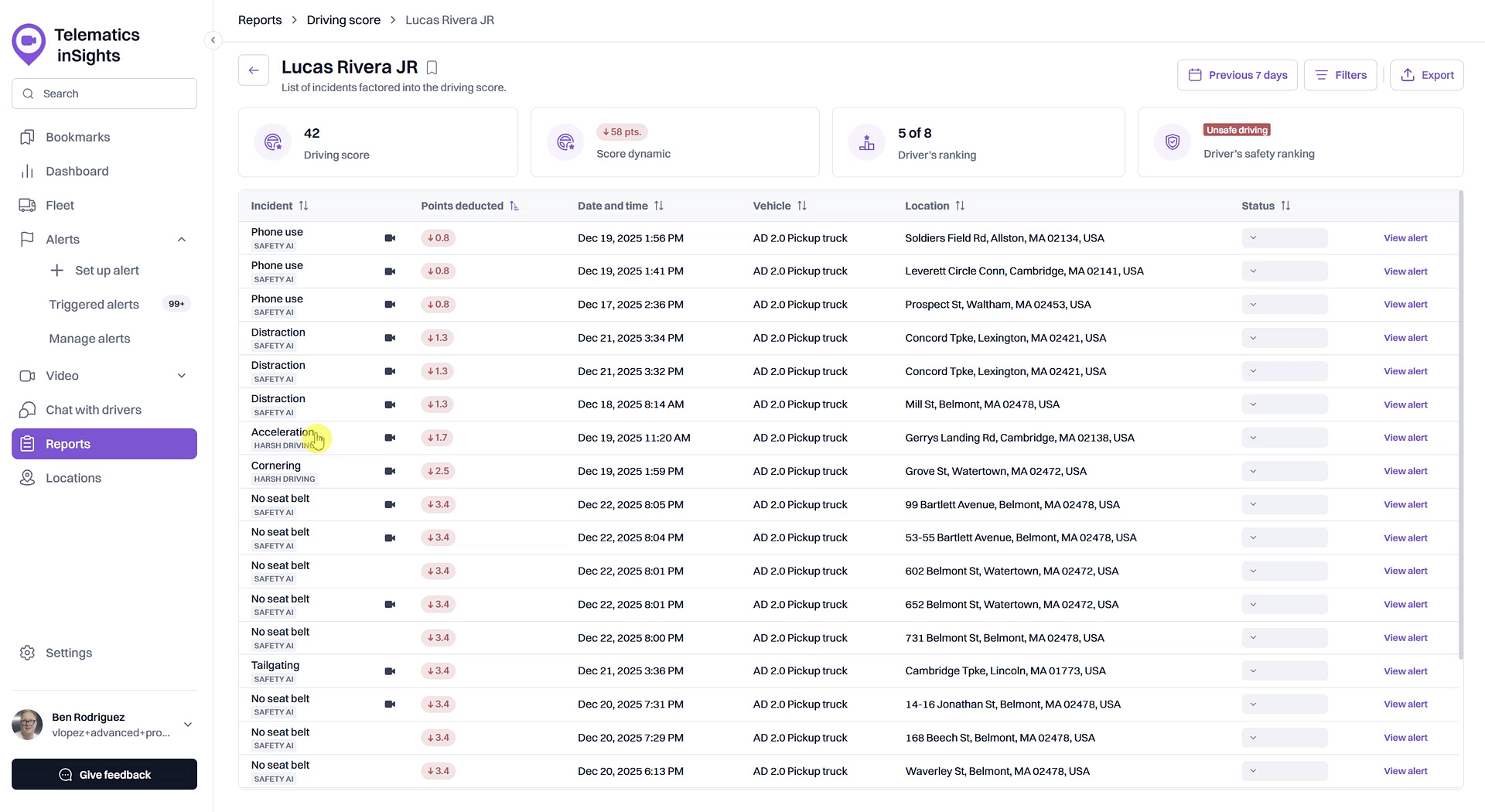
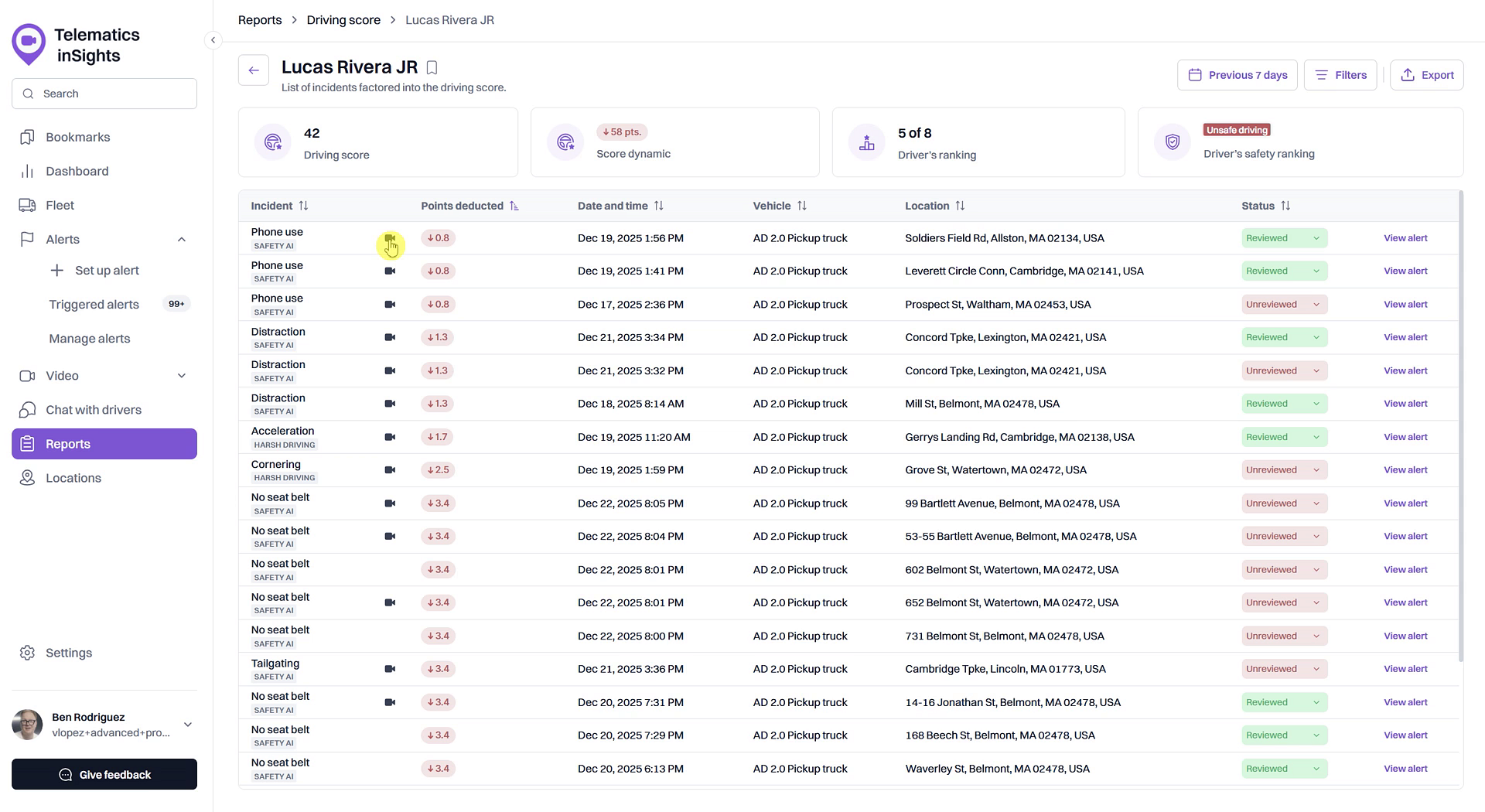
- In the list of incidents, locate the event you want to review and click the video playback icon in that row.
- In the Video playback pop-up, click the play button to watch the recorded footage. The pop-up displays both road-facing and driver-facing camera views.
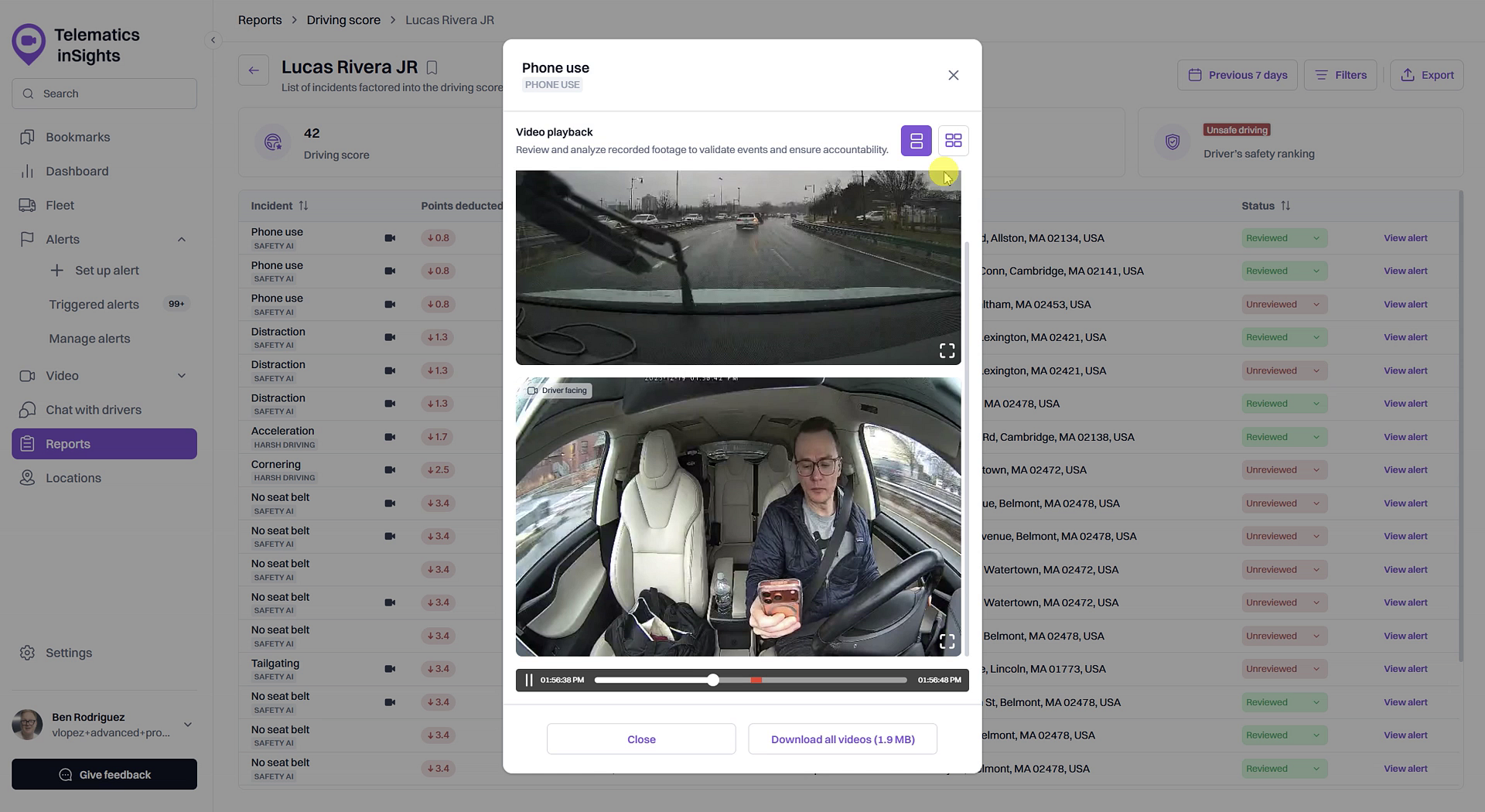
- To save the footage, click the Download all videos button.
- Once you are finished, click Close to return to the incident list.
Tips
If a video playback icon does not appear next to an incident, it means no video footage was recorded for that specific event.
Summary
Reviewing video footage of a safety incident allows you to see exactly what occurred from both inside and outside the vehicle. This feature is essential for validating the severity of an event, understanding the context behind a driver's actions, and gathering clear evidence to support coaching and training efforts.
Related
- Investigate incidents affecting a driver's score
- Mark a safety incident as 'Reviewed' or 'False Positive'
- How to Play Back Historical Video Footage for a Trip
Related Articles
How to Mark a Safety Incident as 'Reviewed' or 'False Positive'
How to Mark a Safety Incident as 'Reviewed' or 'False Positive' This guide shows you how to update the status of a safety incident. Marking incidents as 'Reviewed' helps you track which events have been addressed, while marking them as 'False ...How to Investigate Incidents Affecting a Driver's Score
How to Investigate Incidents Affecting a Driver's Score Understanding why a driver has a low score is the first step toward coaching and improving safety. This guide shows you how to investigate the specific safety incidents that contribute to an ...How to Play Back Historical Video Footage for a Trip
How to Play Back Historical Video Footage for a Trip Reviewing past trips is essential for understanding on-road events. This guide shows you how to play back historical video footage from your vehicle's dash cam for any completed trip. You will need ...Customize Driving Score Incident Weights and Safety Ranges
Customize Driving Score Incident Weights and Safety Ranges This article shows you how to customize the Driving Score calculation to match your company's safety priorities. You can adjust the weight of different safety incidents and define the score ...How to Create and Save a Video Clip from a Trip Replay
How to Create and Save a Video Clip from a Trip Replay This guide shows you how to create and save short video clips from a full trip replay. This is useful for isolating and storing important footage for incident review, driver coaching, or ...