What a Recipient Sees with a Shareable Location Link
What a Recipient Sees with a Shareable Location Link
When you share a vehicle's location using a shareable link, the recipient gets access to a special, read-only view of your fleet map. This article explains what they will see and what information is available to them. The level of detail they can access depends on the options you selected when creating the link.
Main Interface and Vehicle List
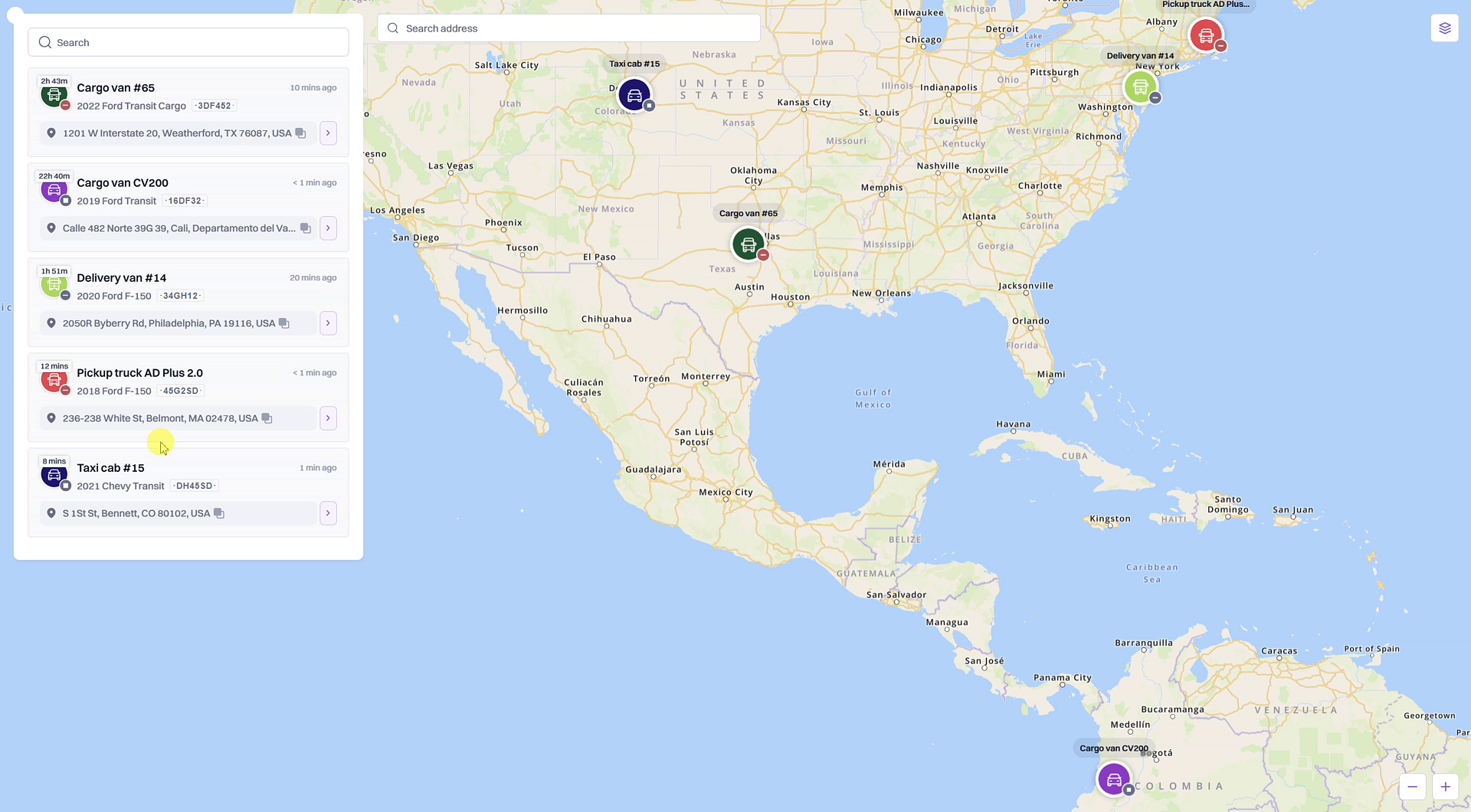
Upon opening the link, the recipient is presented with a simplified interface. On the left, a list displays all the vehicles and groups you included in the link. The main area of the screen shows a map that automatically adjusts its zoom level to display the current location of all shared vehicles.
- Vehicle List: Shows the name and current address of each vehicle.
- Map View: Provides a real-time visual of where each vehicle is located.
Interacting with the Map and Vehicles
The recipient can interact with the interface to focus on specific vehicles or locations.
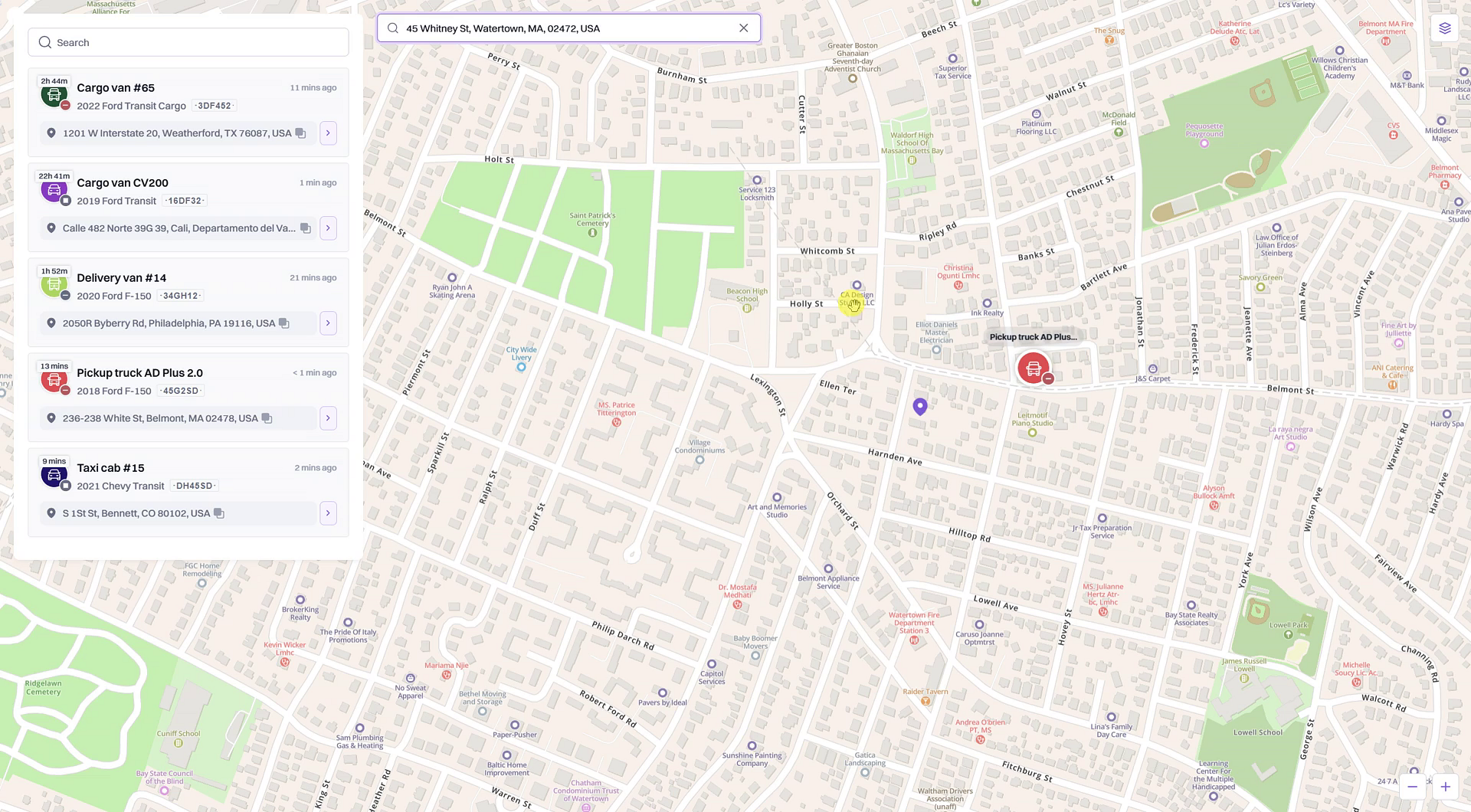
- Focus on a Vehicle: Clicking on a vehicle in the list will automatically center and zoom the map to that vehicle's exact location.
- Search Address: A search bar at the top allows the recipient to look up a specific address. The map will then display a pin at that location, making it easy to see how far away your vehicles are.
- Map Layers: The recipient can switch between Standard, Satellite, and Open/Street Maps layers to get a better view of the area.
Viewing Detailed Information (If Enabled)
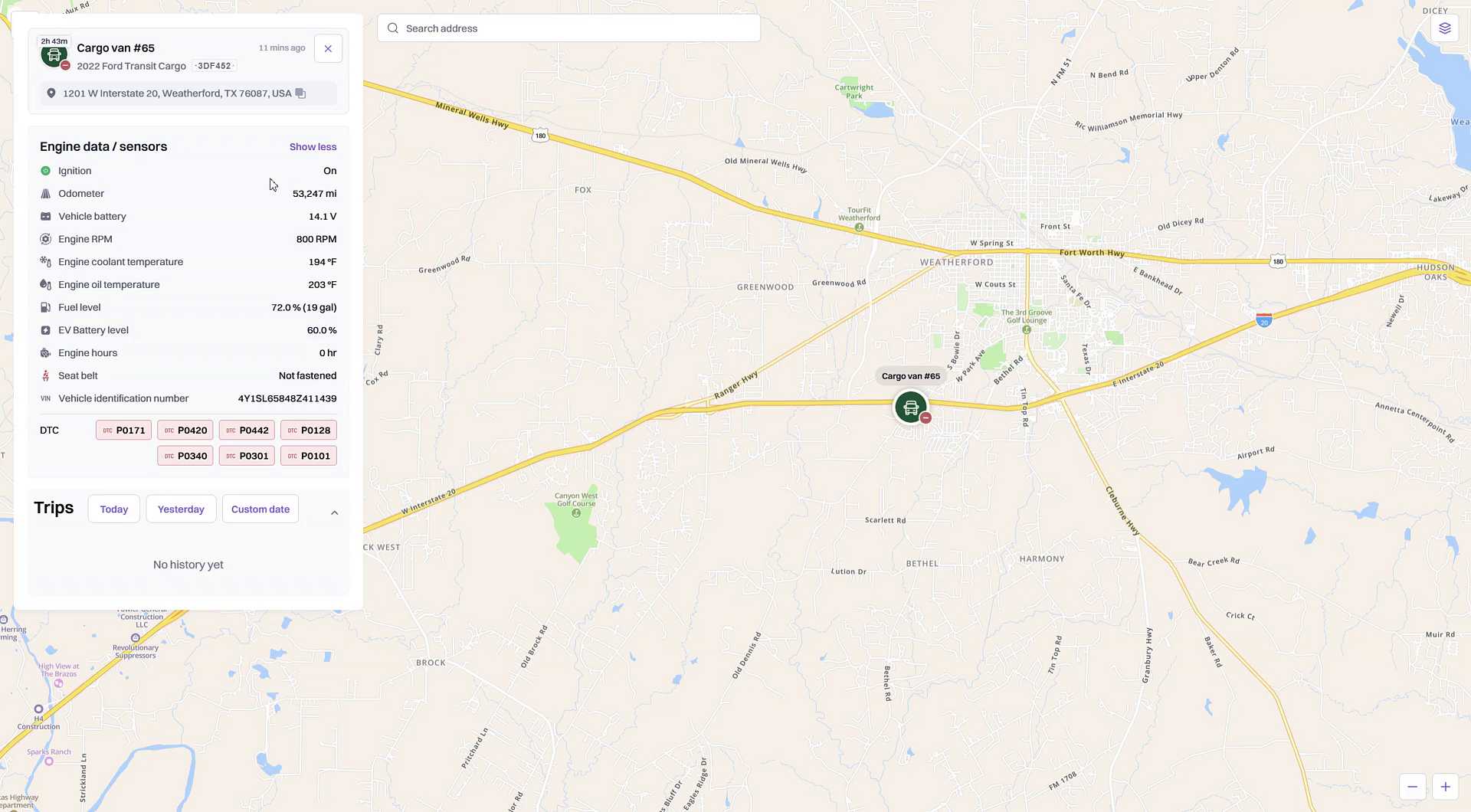
If you enabled the Show trip history or Show sensors options when creating the link, the recipient will see a View details button for each vehicle. Clicking this button expands the vehicle's card to show more information.
- Trips: Displays a list of recent trips. Only trips that occurred after the shareable link was created will be visible here.
- Engine data / sensors: Shows a detailed list of sensor readings, such as Ignition status, Odometer, Vehicle battery, and other engine data you have configured.
What if the 'View details' button is missing?
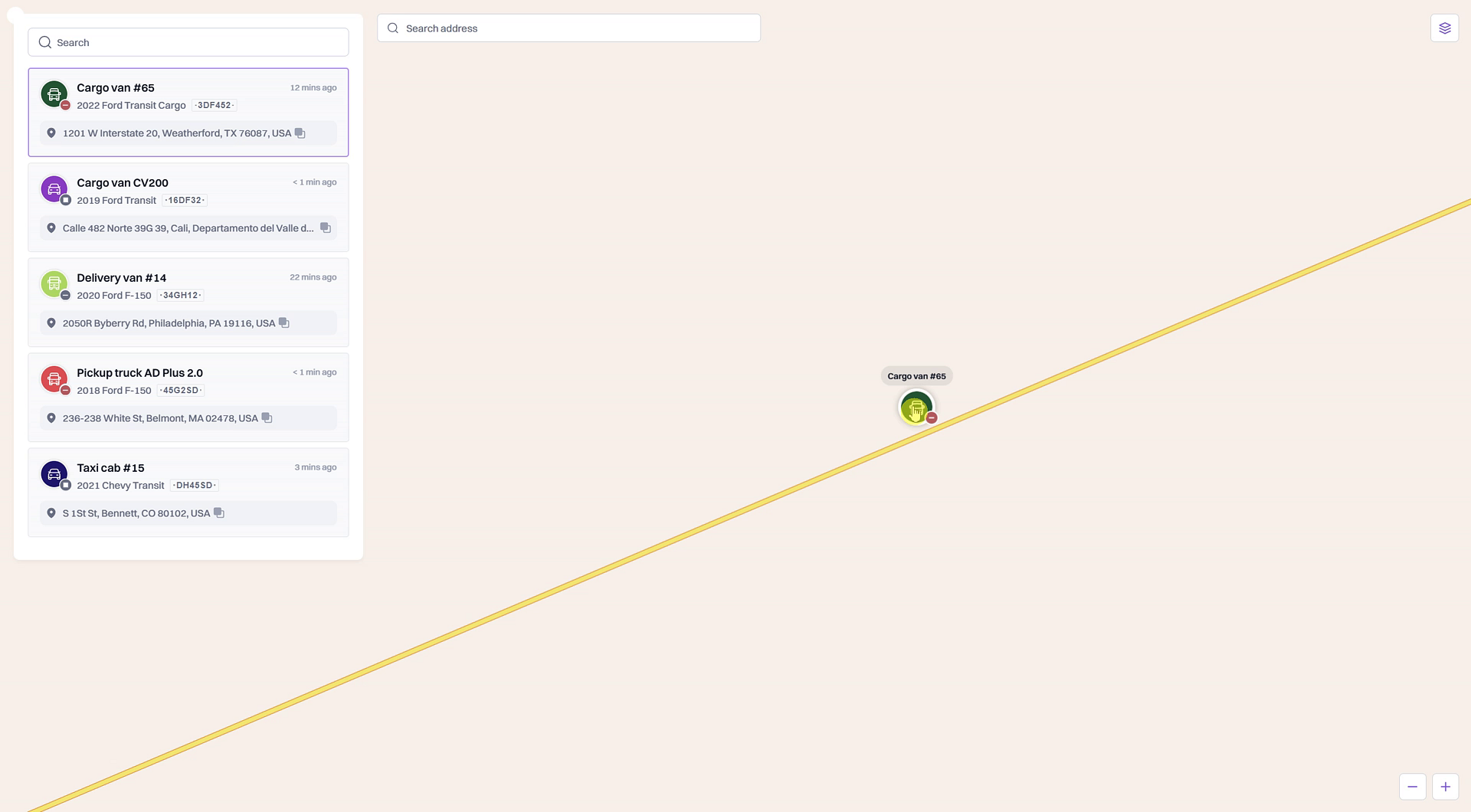
If the recipient does not see the View details button, it means the options to share trip history and sensor data were not enabled for that link. They will only be able to see the vehicles' current locations on the map.
Summary
The shareable location link provides a secure, read-only portal for external parties to track your vehicles in real-time. Recipients see a map with the current locations of the specific vehicles you've shared. Depending on the permissions you set, they may also be able to view detailed trip histories and live sensor data for each vehicle, offering tailored transparency without granting full access to your platform.
Related
Related Articles
How to Edit or Reactivate a Shareable Location Link
How to Edit or Reactivate a Shareable Location Link After creating a shareable location link, you may need to change its settings or reactivate it after it has expired. This guide shows you how to edit an active link's permissions and how to ...How to Create a Shareable Link to Track Vehicle Locations
How to Create a Shareable Link to Track Vehicle Locations This article will show you how to create a secure, shareable link that allows people outside of your organization, such as customers or partners, to track the real-time location of specific ...Asset Location Sharing
This feature in Pulse GPS allows you to share the location of an asset so that it can be viewed by a 3rd party without logging in. Review this article and video to find out more. Steps 1. When you select an asset in the list (or click on its icon on ...Tracking
In this section, you can see data on the location of the mobile device. Here you can enable or disable sending this data to the server using the switch. By default, most of the section is hidden. Expand the section to see all the information it ...Map
In the Map mode, you can see your location. In addition, the widgets available to the user are also displayed here. To open the map, tap the icon in the navigation bar. When you tap the icon , you exit the map mode. To select the map, tap the icon ...